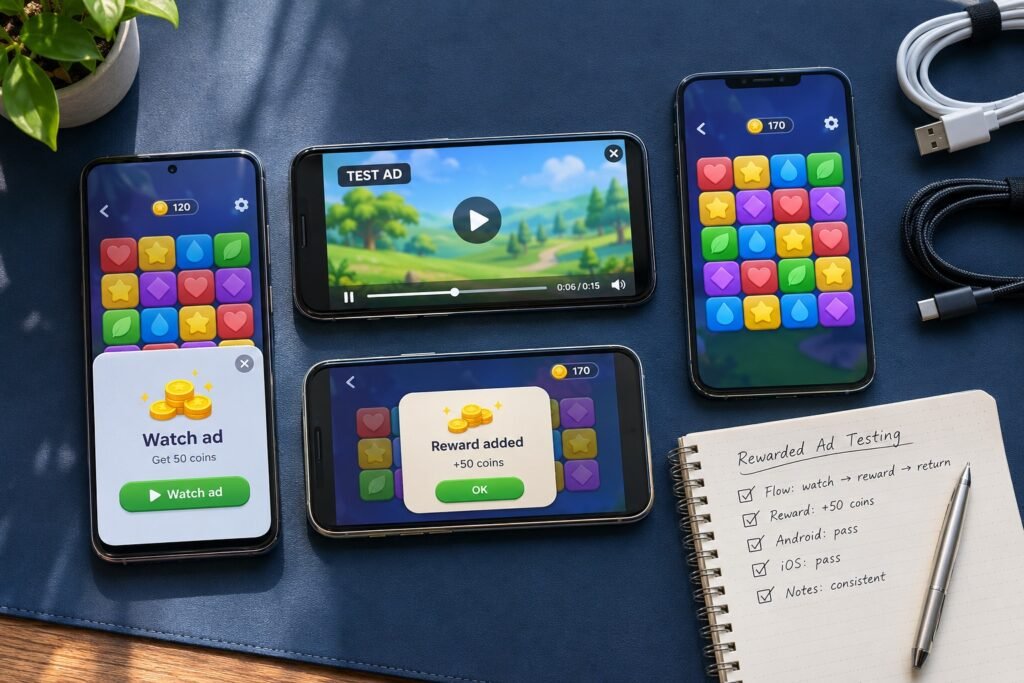
Test rewarded ads on real devices that represent your supported players, including lower-spec Android hardware, common mid-range phones, older supported iPhones and recent iPhones. Add tablets when your game supports them. The useful matrix combines device and OS coverage with ad sources, network conditions, app states and reward rules.
A video playing successfully is only one checkpoint. The player must receive the correct reward, avoid duplicate credits and return to a usable game. This checklist helps studios scope mobile game testing services around that complete journey. It is a testing methodology, not a report of completed client testing.
1. Start with the rewarded-ad contract
Before choosing phones, document what earns a reward for each placement: extra life, currency, booster or another entitlement. Define eligibility, amount, limits, expiry and persistence. Specify whether the client or a backend confirms entitlement and what users see while confirmation is pending.
Google’s Android rewarded-ad guide distinguishes reward events from full-screen dismissal. It also explains that mediation can affect callback ordering. QA should verify the integration’s documented events rather than assume that closing an ad means a reward was earned. The iOS integration guide similarly separates presentation, dismissal and reward handling.
Developers can check callback wiring and automated logic. Independent testers can then examine the end-to-end experience across selected devices and interruptions. Both need the same expected behavior. Use your broader mobile game testing plan to identify the placements that can block progression.
2. Choose a device matrix from player risk
Use supported OS versions, player analytics, crash reports and device availability to select actual models. For a new game, document your audience assumptions and revise them after soft launch. Newest-only testing can miss supported hardware with less memory or different screen geometry.
| Device category | Selection rule | Priority verification |
|---|---|---|
| Lower-spec Android phone | Within the game and SDK support boundary | Loading, playback, memory pressure and return to gameplay |
| Mid-range Android phone | Representative of active or intended players | Core placement-to-reward flow and repeated sessions |
| Another Android manufacturer | Relevant audience share or defect history | Backgrounding, interruption and recovery behavior |
| Older supported iPhone | Supported hardware and an agreed OS boundary | Playback, app recovery and available memory |
| Recent iPhone | A current supported OS/device combination | Presentation, safe areas, close controls and state transitions |
| Android tablet or iPad | Only when the game supports that form factor | Scaling, orientation, touch targets and game restoration |
These are coverage categories, not a mandatory six-device package. One model can cover several categories, while an important OS boundary may need another device. Record model, OS, build, SDK and adapter versions in each execution row. Emulators are useful during development; retain physical-device checks for the release risks listed here.
3. Configure test ads and ad-source coverage
Agree the test configuration before execution. AdMob supports demo ad units and registered test devices. Google’s demo units do not validate your entire mediation configuration; each mediated network needs its own test-mode check. A missing Test Ad label alone does not establish whether a mediated ad is safe to interact with. Follow the Android test-ad instructions and iOS test-ad instructions for the integration in use.
Record the ad source and placement alongside each result. A pass from one network does not validate another adapter. Include available video or playable creatives where relevant, consent states supported by the approved test setup, and no-fill or load-error behavior. Test mode checks integration; it does not prove future production fill rate, revenue or every creative’s behavior.
Use authorized test accounts and controlled balances. Keep production configuration review separate from test-ad execution, and confirm release settings with the developer responsible for the build.
4. Run the ad-to-reward scenario matrix
Run the core successful journey on every selected device. Prioritize additional scenarios by placement risk, past defects and platform differences. Record why any combination is excluded.
| ID / scenario | Expected verification |
|---|---|
| RAD-01 · Eligible completion | The documented reward is credited once after the qualifying event. |
| RAD-02 · Early dismissal | Entitlement follows the completion rule; dismissal alone does not trigger credit. |
| RAD-03 · No fill or load failure | The player sees an accurate state and can continue or retry as designed. |
| RAD-04 · Network loss | Loss before loading, during playback or during confirmation produces the agreed recovery state. |
| RAD-05 · Network restored | Pending verification or retry does not cause missing or duplicate rewards. |
| RAD-06 · Background or screen lock | Resume behavior, audio and entitlement remain consistent with the contract. |
| RAD-07 · Call or audio interruption | The ad and game recover without stuck controls or overlapping audio. |
| RAD-08 · Repeated taps | Repeated requests do not open overlapping ads or credit one entitlement twice. |
| RAD-09 · Repeated ad sessions | Controls, limits, balance and visible stability remain correct across agreed repetitions. |
| RAD-10 · Orientation and safe areas | Supported layouts keep close controls and reward messages accessible. |
| RAD-11 · Relaunch after earning | The earned reward persists according to the save rules. |
| RAD-12 · Account or device change | Where supported, rewards belong to the correct account and synchronize without duplication. |
| RAD-13 · Delayed server confirmation | Pending status, eventual credit and retry follow the backend contract, where implemented. |
| RAD-14 · Return to gameplay | Input, sound, level state and the newly granted item work after dismissal. |
A disconnect does not always stop a downloaded ad. Judge the result against actual ad events and the game’s reward rules, not a blanket expectation that every network loss should cancel the reward.
5. Make reward defects reproducible
Illustrative defect: a test account starts with 120 coins. The placement promises 50 coins, but one eligible ad produces a balance of 220 after reconnecting. The expected balance is 170 under this example’s rules. This is a hypothetical duplicate-credit scenario, not a Testers HUB client finding.
A useful report records the device, OS, build, placement, ad source, SDK/adapter versions, starting balance, actions and final balance. Attach a short video and safe log references where available. Separate the observed result from a suspected cause; the tester should not label a callback or backend defect without evidence.
With developer support, controlled duplicate or delayed verification events can test whether the same transaction is processed more than once. This needs a suitable test environment and explicit scope. Retest the reported defect after a fix, then run agreed regression on related placements and reward flows.
6. Agree scope, cost and release evidence
Rewarded-ad testing effort depends on devices, OS coverage, placements, networks, account states, reward types and follow-up cycles. A device count alone is not a useful quote. Specify the build, access requirements, known defects and expected reporting before comparing proposals.
Before release, confirm:
- The selected device and ad-source combinations were executed or clearly marked untested.
- Eligible completion, failure and interruption paths follow the agreed rules.
- Reward balances and saved state were checked after returning to gameplay.
- Open defects, blocked checks and remaining risks have an owner.
- Fix verification and regression status are recorded for the release build.
Review mobile game QA coverage when scoping independent support. For tester-selection criteria, use our guide to hiring a mobile game tester. Testing informs a release decision; it cannot guarantee every device, creative or future ad-network response.
7. Questions about rewarded-ad device testing
Which devices should be used to test rewarded ads?
Select real Android phones and iPhones from your supported audience: a lower-spec Android, a representative mid-range model, another relevant manufacturer, an older supported iPhone and a recent iPhone. Add tablets only if supported. Confirm model, OS and ad SDK compatibility rather than treating this as a fixed minimum.
Is testing on one flagship phone enough?
One flagship can support a smoke check but does not represent all supported memory, OS, manufacturer and screen combinations. Use player analytics and defect history to choose additional coverage.
Can emulators replace real devices for rewarded-ad QA?
Emulators and simulators can help check integration and repeatable flows. Include physical devices for release checks involving playback, touch controls, interruptions, app recovery and resource constraints.
Should testers use live ads?
Use the ad provider’s documented test configuration. For AdMob, use demo ad units or register test devices as appropriate, and confirm test mode separately for mediated networks. Do not assume every network shows a Test Ad label.
What should a rewarded-ad QA report contain?
Record the build, device, OS, SDK and adapter versions, placement, test configuration, network and app state, reproduction steps, expected reward rule, observed balance and evidence. Identify blocked and untested combinations.
The featured image is an AI-generated illustration. Its screens and checklist marks are not evidence of an executed project.