After a mobile game SDK update, first confirm that the build launches and the changed integration initializes. Then repeat the player journeys that depend on it, including recovery after interruptions, on the agreed Android and iOS configurations. Use the migration notes and your game’s business rules to decide whether wider regression is needed.
A successful ad, purchase dialog or sign-in screen does not establish that the player can finish the journey. This guide helps studios scope mobile game testing services around the release decision after a third-party SDK change. All worked examples below are illustrative, not reports of completed client testing.
1. Map the SDK change to player journeys
Record the previous and new SDK versions, mediation adapters or other dependencies, configuration changes and vendor migration notes. Ask developers which initialization, callback, permission or lifecycle behavior changed. Also identify shared account, save and entitlement systems that might be affected.
The regression plan should connect each change to a player action and observable evidence. Select the relevant rows below; a game without purchases or push notifications does not need those flows added simply to make the checklist longer.
| Changed integration | Player journey to repeat | Evidence to request |
|---|---|---|
| Ad SDK or mediation adapter | Initialize → show an eligible test ad → apply the agreed reward → return to gameplay. | Placement and adapter versions, reward state, callback observations where available, and a usable game after dismissal. |
| IAP or payment SDK | Load products → purchase, cancel or remain pending → verify entitlement → restore where the product supports it. | Store test environment, transaction state, player account and correct entitlement after reconnect or relaunch. |
| Analytics SDK | Initialize under the configured consent rules → perform selected events → background and resume. | Expected event names, parameters and counts against the agreed event contract, using authorized debug or reporting access. |
| Push SDK | Set notification permission → receive an eligible test message → tap it → reach the intended screen. | Permission and app state, intended account, destination and behavior when the destination is no longer available. |
| Login or social SDK | Sign in or cancel → resume a session → switch accounts where supported. | Correct account, save and entitlement state; expected handling of an expired session or failed sign-in. |
| Crash-reporting SDK | Launch → play → background and resume; verify diagnostic capture in an agreed test build. | Build attribution and permitted diagnostic evidence. Any deliberate test crash must be confined to a developer-approved test environment. |
2. Run a smoke check before selecting regression depth
Install the candidate, launch it, sign in if required, start the core gameplay loop and exercise the changed integration. If access, initialization or startup is blocked, report that limitation before spending the remaining test window on dependent scenarios.
Then compare a fresh installation with an upgrade from the previously released build. Existing players may carry saved progress, preferences, sessions or entitlements that a clean install does not exercise.
Focused regression may suit a well-understood change with isolated dependencies. Broaden coverage when an SDK migration changes shared initialization, identity, saves, entitlement handling or platform support, or when the impact is uncertain. Keep a critical-path smoke pass outside the affected integration. Record excluded journeys and the reason for excluding them.
3. Follow the complete player flow through recovery
Illustrative example: a game updates its ad SDK. Its approved rule says a completed eligible ad grants one reward, saved to the signed-in player’s balance. QA records the starting balance, watches a test ad, checks the reward, resumes gameplay, backgrounds the app and reopens it. The balance and return state must match that rule.
Closing the ad and earning the reward are separate observations. Google’s rewarded-ad documentation distinguishes reward handling from presentation events and recommends test ads during development. Check the integration’s configured behavior. The existing rewarded-ad device and scenario matrix provides the detailed coverage for that specific flow.
For an IAP change, follow purchase → verified entitlement → gameplay access → reconnect. Test cancellation and pending or interrupted states in the supported store environment. Android’s Play Billing integration guidance explains purchase recovery and the need to distinguish pending from completed purchases. Do not grant a completed-purchase outcome simply because a dialog closed.
Restoration expectations depend on product type, account rules and implementation. Do not assume a consumed currency purchase and a permanent unlock have identical restore behavior. Agree duplicate or delayed callback scenarios with developers when controlled simulation is needed.
4. Check Android and iOS independently
Select named devices and supported OS versions using player data, crash history and the changed SDK’s requirements. Include relevant lower-spec hardware and screen sizes. Repeat the affected flows on each supported platform rather than treating an Android pass as iOS evidence.
Check applicable permissions, denied choices, overlay dismissal, safe areas, background/resume and network loss. Distinguish supported recovery from an unavailable test condition. Apple’s StoreKit sandbox guidance provides an environment for testing purchases with configured product information; record whether each purchase check used sandbox, local StoreKit testing or another approved environment.
Developer unit or integration checks can cover callback logic and repeatable state transitions. Manual exploratory QA adds observations of touch interaction, timing, interruptions and the complete player experience. Neither alone establishes every possible device outcome.
5. Ask for evidence that supports a release decision
A mobile game regression testing report should identify the build, changed SDK and adapter versions, device/OS, installation path, account or save state, steps, expected result and observed result. Add impact, agreed severity, screenshots or video and relevant logs where access permits. Remove personal data and secrets from shared evidence.
Use this 12-point release-review checklist:
- Changed SDKs, dependencies and configurations are recorded.
- Migration requirements have an owner.
- Startup and integration smoke checks have results.
- Fresh-install and existing-player upgrade paths are covered.
- Affected gameplay and monetization journeys have approved expected results.
- Relevant cancellation, pending and failure states are checked.
- Background, relaunch and network-recovery behavior is recorded.
- Account, save and entitlement state remains consistent with product rules.
- Named Android and iOS configurations are reported separately.
- Telemetry checks identify the events and access actually verified.
- Corrected-build verification is distinguished from related regression.
- Failed, blocked and untested scope is visible to the release owner.
A passed checklist supplies evidence within the tested scope. The studio still decides whether unresolved risk is acceptable; QA cannot promise a defect-free release.
6. Scope external QA around the changed build
Independent QA can help when an SDK migration, monetization change or release candidate exceeds internal device coverage or available testing time. If each build repeats the same risk, consider ongoing support when you hire game QA testers.
For a useful game QA outsourcing quote, specify the build, old/new SDK versions, affected journeys, target configurations, test accounts, available diagnostics and deadline. Agree setup, reporting, fix verification and regression allowances. Review the game testing cost guide for budget factors; there is no universal SDK-update testing price or duration.
Functional integration QA does not automatically include penetration testing, load testing, ad-revenue auditing or store certification. Include specialist work only when the proposal explicitly supports it.
Questions about QA after a mobile game SDK update
What should I test after updating an ad SDK?
Check initialization and configured ad sources, then eligibility, presentation, the agreed reward outcome and return to gameplay. Include relevant interruption and recovery states on the selected devices.
What can change after an IAP SDK update?
Product loading, transaction-state handling, callbacks, account association and entitlement recovery may be affected. Use the migration notes and product rules to select checks; these are possible risks, not guaranteed defects.
Do I need full regression after every SDK change?
Not automatically. Start with change impact and smoke results. Broaden regression when shared systems, platform requirements or uncertain dependencies make a narrow pass insufficient.
Can manual testers validate SDK workflows?
Yes, with a testable build, accounts and expected rules. Manual testers can verify player-facing outcomes. Callback, backend and telemetry assertions may need developer support or authorized diagnostic access.
What should a regression-testing quote include?
It should state affected journeys, platforms, devices, test environments, reporting, exclusions and corrected-build retesting terms. Setup needs and available evidence access should also be explicit.
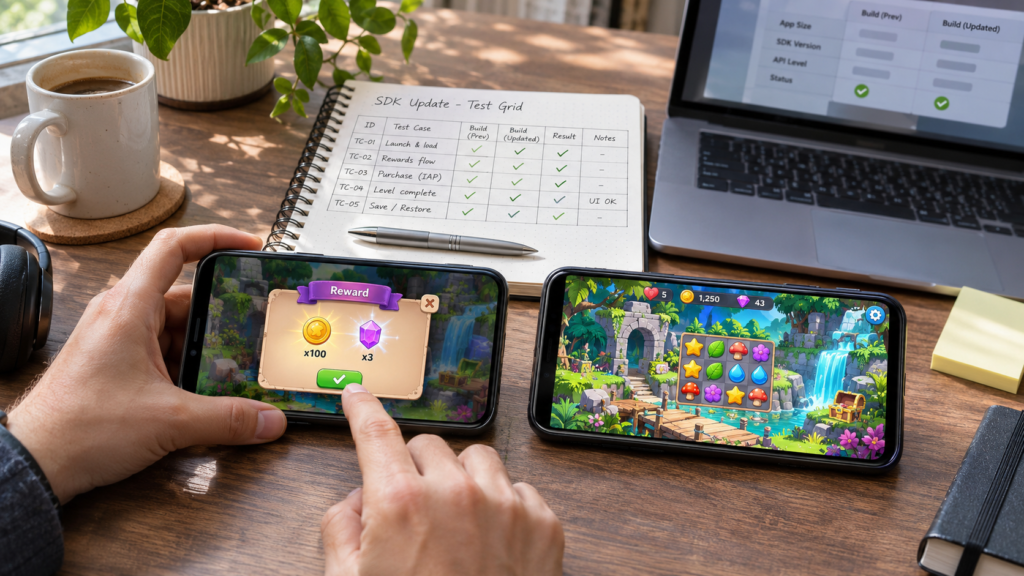
Featured image: AI-generated illustration of a mobile game QA workbench; it does not depict a client project or recorded test results.