
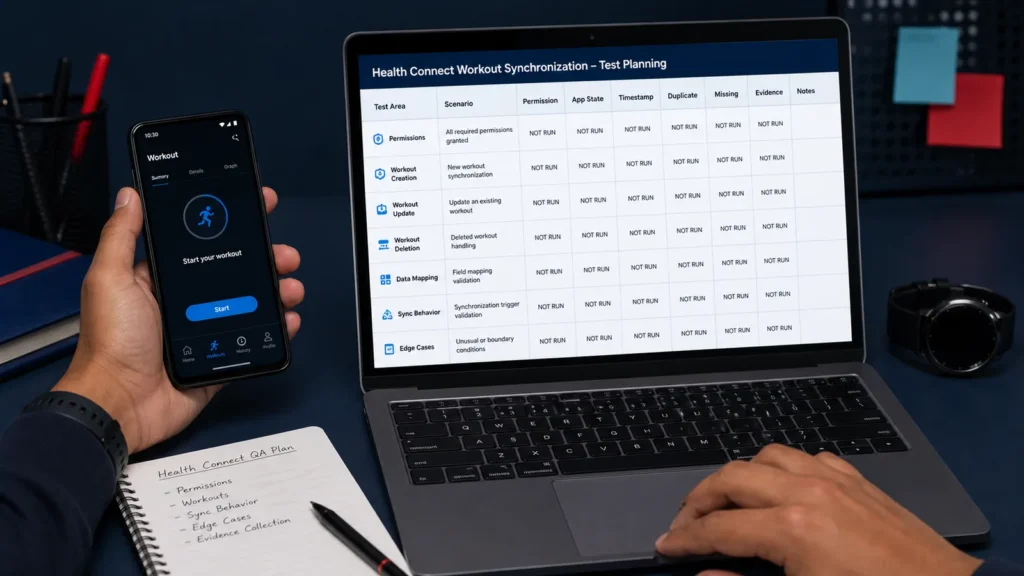
Testers HUB QA Lab / Evidence-Ready Protocol: This page documents a controlled Health Connect test method. No approved client build has been executed for this page, so it does not claim a production defect, pass result, synchronization latency, or business outcome. Every execution row in the downloadable matrix starts as Not Run.
Workout data can look correct during an ordinary foreground check while still behaving differently after a permission change, background transition, force-stop, interrupted connection, delayed update, or repeated synchronization trigger. A release decision therefore needs evidence across states, not one successful screen.
Quick answer: Health Connect sync testing should compare known workout data with the value displayed by the fitness app across permission, lifecycle, network, and Android-version conditions. The result should be recorded per device and build instead of generalized from one run.
This QA Lab plan supports the broader Fitness and Wellness App Testing service. It also shows how mobile app testing services and manual testing combine real-device evidence with state-transition coverage.
The Release Question
A controlled workout or activity record exists in Health Connect. Does the approved fitness app show the correct mapped value once, with the right unit and timestamp, across the states that real users create?
The question is deliberately narrow. It does not claim medical accuracy, wearable certification, universal Android behavior, or a production defect. It creates a repeatable way to inspect one integration before release.
Scope and Evidence Boundary
Confirm the Android build, Health Connect version, supported records, sync trigger, target devices, permission policy, and release date.
Create approved test workouts with exact source, start and end times, value, unit, and Health Connect timestamp.
Capture what happened in the app and Health Connect without replacing blocked or unavailable checks with an assumed pass.
Record screenshots, video, approved logs, defect references, fix validation, and adjacent regression results.
Health Connect State Matrix
| Condition | Expected observation | Evidence to capture | Planning status |
|---|---|---|---|
| App open when a workout is added | Mapped workout data appears according to the approved product rule. | Source record, app screen, field values, timestamps | Not Run |
| App backgrounded before sync | Background behavior completes or clearly defers without unexplained loss or duplication. | Lifecycle timeline, app state, final record comparison | Not Run |
| Permission allowed, denied, revoked, restored | Protected actions respect access and the recovery path matches product design. | Permission screen, user message, before/after state | Not Run |
| Force-stop and relaunch | Pending work recovers or remains visibly pending without an unexplained duplicate. | State before stop, relaunch state, source/app comparison | Not Run |
| Offline to online | Queued work synchronizes once or provides an approved recovery path. | Network timeline, queue state, final data | Not Run |
| Repeated trigger for the same workout | Idempotent handling prevents an unexplained duplicate. | Record identifiers, trigger times, duplicate check | Not Run |
| Android 13 and Android 14+ | Behavior is recorded separately per platform setup. | Device, OS, Health Connect version, comparison notes | Not Run |
Data Fields to Record During Execution
For each approved run, record the device, Android version, app build, Health Connect version, permission state, app state, workout timestamp, Health Connect value, app value, observed synchronization time, duplicate status, missing-record status, result, evidence link, defect ID, and notes.
The workbook separates planning from evidence. Scenario rows define what should be tested, while the evidence log holds the actual device/build/state combinations. Its formula-driven summary remains at zero executed scenarios until a tester changes a row from Not Run.
Download the Fitness App Health Connect Sync QA Matrix
Use the editable workbook to plan devices, permissions, app states, expected behavior, evidence, execution status, defects, and retesting. It contains no invented measurements or results.
How Findings Should Be Classified
Passed consistently
The approved expected behavior is observed across every executed device, build, permission, lifecycle, and network condition in scope.
Failed consistently
The same mismatch or recovery failure appears in repeat runs with enough evidence to reproduce it.
Intermittent behavior
The outcome changes across repeated runs. Capture timestamps, state transitions, network conditions, record identifiers, and logs before drawing a conclusion.
Blocked or not applicable
The build, permission, integration, device, data type, or environment does not allow the check. Record that limitation explicitly instead of counting it as passed.
What This Teaches a Fitness Product Team
A fitness app can pass an ordinary workout flow while still needing regression coverage across the health platform, permission lifecycle, application state, data source, local mapping, backend behavior, and user-visible progress. The release risk exists in the handoffs between those layers.
That is why Fitness QA should start with the app’s actual integrations and target devices. Teams that need dedicated execution support can also review how to hire mobile app testers for a defined release or ongoing regression cycle.
Release Checklist
- Permission lifecycle and recovery messaging
- Workout values, units, timestamps, and time zones
- Foreground, background, force-stop, and relaunch behavior
- Offline recovery and delayed synchronization
- Duplicate and missing-record checks
- Multiple data sources where the product supports them
- Android-version and device differences
- Regression after integration, permission, or mapping changes
Get a Fitness App QA Scope
Share your fitness app, Health Connect or Apple Health integrations, target devices, supported records, and release timeline. Testers HUB will recommend a focused testing scope without assuming unsupported coverage.
Health Connect Fitness App QA FAQs
Is this a completed client case study?
No. This page documents an evidence-ready Testers HUB QA Lab protocol. No approved client build has been executed for this page, so it does not claim a production defect, pass result, synchronization time, or business outcome.
What does Health Connect synchronization testing cover?
A focused scope can cover workout creation and updates, mapped values and units, timestamps, permission changes, foreground and background states, app relaunch, offline recovery, duplicate prevention, missing records, and agreed Android-version differences.
Can you test permission revocation and background behavior?
Yes. With an approved build and controlled test data, the matrix can include permission allowed, denied, revoked, and restored states together with foreground, background, force-stop, relaunch, and offline-to-online journeys.
Can the same approach be used for Apple Health or wearable integrations?
The state-based method is reusable, but Apple Health and individual wearable platforms require separate permissions, devices, APIs, data mappings, and release criteria. They should be scoped independently rather than assumed to behave like Health Connect.
What evidence should a fitness app team collect before release?
Record the device, Android version, app build, Health Connect version, permission and app states, workout timestamp, source and app values, observed synchronization time, duplicate or missing status, screenshots or video, logs where approved, and the final retest result.
Technical References
- Android Health Connect setup and platform behavior
- Android workout records and Health Connect experiences
- Android Health Connect read and permission guidance
Technical references support the test design. They do not establish a Testers HUB finding. Only controlled execution on an approved build can do that.
Need QA testing support for a similar release?
Tell us about your app, website, game, platform coverage, and launch timeline. Testers HUB will recommend a practical QA scope and quote.