
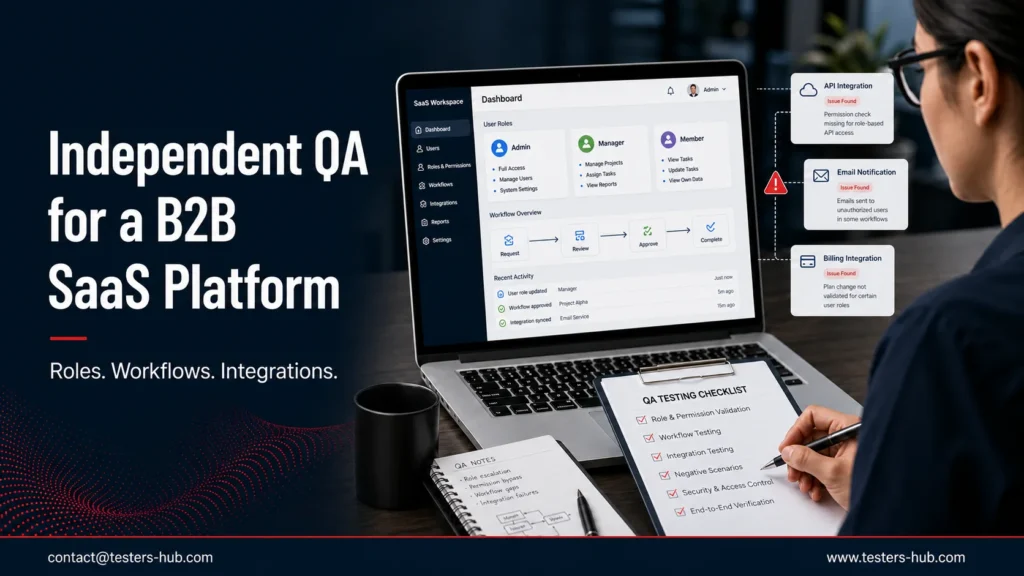
Testers HUB QA Lab / Scenario-Based Case Study: This page documents an evidence-ready subscription and entitlement testing method using a controlled, anonymous SaaS scenario. No client identity, account data, transaction amount, execution duration, defect count, pass rate or release outcome is claimed here. The downloadable matrix begins with every scenario marked Not Run.
A SaaS release can show the correct checkout confirmation while leaving another part of the product in the wrong state. The billing provider may record an upgrade, but an existing session can retain the old feature limits. A downgrade may be scheduled correctly, while a fresh login shows the wrong plan. A failed renewal can update an invoice without giving the user a usable recovery message.
Quick answer: SaaS subscription QA should verify the whole state transition: checkout → billing provider → internal subscription state → workspace or user entitlement → UI → notification → renewal or cancellation behavior. Payment-screen validation alone cannot establish that the customer journey is consistent.
This QA Lab protocol supports the existing B2B SaaS testing services page. It also connects to regression testing services, API testing, and manual testing when plan changes cross UI, integration and workspace boundaries.
The Product Scenario
The anonymous product in this scenario is a multi-tenant SaaS workspace with monthly and annual plans, a trial or promotional period, plan-based feature access, invoices, renewal events, cancellation choices and user-level permissions. The product team wants to change subscription behavior without leaving billing, access or communication out of sync.
This is a controlled planning scenario, not a client story. It is intentionally specific enough to design useful tests while leaving client names, account information, pricing and production outcomes out of the page.
The QA Question
Does the product keep billing state, entitlement state, user messaging and workspace access consistent after a subscription change?
The question moves the scope beyond whether a payment button works. It asks what the customer can do before and after the change, what an administrator can see, what an invoice records, what the current session displays, what a new session displays and how the product explains the next step.
What the Coverage Should Follow
Record the approved subscription, billing event, effective date, invoice or payment state and any provider event that the environment exposes.
Check newly unlocked features, restricted features, retained data, role-specific access and the boundary between user and workspace entitlements.
Compare the open session, refresh behavior, sign-out and fresh login. A plan change should not depend on an unexplained stale browser state.
Review confirmation, cancellation, renewal-failure and payment-recovery messages against the state the user actually receives.
Subscription and Entitlement Test Matrix
The matrix below is the starting point for an approved execution. It defines the question for each state transition; it does not report an executed result.
| Scenario | What the QA team should verify | Planning status |
|---|---|---|
| Trial → paid | Paid state, access, invoice and confirmation agree | Not Run |
| Monthly → annual | Proration or charge, renewal date and annual access agree | Not Run |
| Annual → monthly | Effective date, access timing and renewal state agree | Not Run |
| Higher-tier upgrade | Newly unlocked features are available in the right session | Not Run |
| Lower-tier downgrade | Restrictions and retained data follow the plan rule | Not Run |
| Immediate cancellation | Access, final billing state and next action agree | Not Run |
| End-of-term cancellation | Access remains until the documented effective date | Not Run |
| Failed renewal | Retry, grace period, access and messaging agree | Not Run |
| Expired card | Payment recovery path and access rule are clear | Not Run |
| Promotion expiry | Final price, invoice, access and notice agree | Not Run |
| Refresh or re-login | Existing and fresh sessions show the same current state | Not Run |
| Multiple workspace users | Owner, admin and member behavior follows the rule | Not Run |
Evidence Fields to Record
Each executed row should record the scenario, account type, plan before and after, billing event, effective date, entitlement state, invoice state, email or notification, UI message, API or backend state where available, result, evidence link and notes. Also capture the browser, device, build, user role, workspace or tenant, whether a fresh login was required and whether access changed immediately or at period end.
The evidence should be written as observed facts. A screenshot can show the UI state, but it should be paired with the relevant test account, timestamp, plan state and environment. Provider or backend evidence should be included only when access is approved and safe.
Download the SaaS Subscription State Transition Matrix
Use the editable workbook to plan subscription changes, billing state, entitlements, invoices, notifications, existing sessions, fresh logins, evidence links and retesting. It contains no client data and all execution rows begin as Not Run.
What to Measure After Execution
Do not pre-fill the case study with attractive numbers. Once an approved build is executed, measure the number of scenarios run, pass and fail counts, inconsistent states, UI-only issues, refresh or re-login differences, notification or invoice mismatches, defects raised and retest status. If no defect is found, publish the tested matrix and the exact conditions under which the flows passed.
How Findings Should Be Classified
Billing state
Was the approved plan, amount, effective date, renewal date and invoice state shown consistently across the relevant systems?
Entitlement state
Did the user receive or lose the correct features, limits and workspace access at the time defined by the product rule?
Session consistency
Did an existing session, a refreshed page and a fresh login show the same current subscription and entitlement state?
Communication
Were emails, banners, invoices, cancellation messages and recovery instructions accurate for the state the user reached?
Blocked or not applicable
Was the check unavailable because the build, billing sandbox, provider event, account, permission, endpoint or environment was not supplied? Record that limitation instead of counting it as passed.
The QA Lesson
SaaS subscription testing is a cross-system workflow, not only a payment check. A useful release scope follows the handoff from checkout to billing provider, internal subscription state, workspace or user entitlement, UI, email and the next renewal or cancellation behavior.
That state-based approach helps product and engineering teams decide what to retest after a plan rule, webhook, permission, invoice, notification or session change. It also keeps a future pricing article separate from this page: this case study is about the testing problem and evidence, not generic SaaS QA rates.
Commercial Conclusion
If a SaaS product changes plans, limits, invoices or entitlements frequently, a focused release QA pass should verify the entire state transition rather than only the payment screen. The right scope depends on the product’s roles, plans, tenants, integrations, test data and release criteria.
Get a B2B SaaS QA Scope
Share your plans, billing events, entitlement rules, user roles, integrations and next release date. Testers HUB can recommend focused subscription, workflow and regression coverage.
SaaS Subscription QA FAQs
Why is SaaS subscription testing more than payment testing?
A plan change can affect billing state, invoice state, user and workspace entitlements, existing sessions, fresh logins, notifications and the next renewal or cancellation action. A useful QA scope checks those connected states together.
What subscription scenarios should a SaaS QA team test?
Start with trial to paid, monthly and annual changes, tier upgrades and downgrades, immediate and end-of-term cancellation, failed renewal, expired cards, promotion expiry, refresh or re-login, and multiple users in one workspace.
Can you test SaaS billing and entitlements without live customer data?
Yes. Use an approved non-production environment, billing sandbox, safe test accounts and controlled plan states. The evidence should record what was actually available and mark unsupported or blocked checks explicitly.
Do you test billing-provider webhooks and APIs?
A scoped SaaS QA engagement can include approved webhook, API, retry and state-synchronization checks. The exact provider events, endpoints, logs and test data should be agreed before execution.
How do you handle a SaaS release when no defect is found?
Publish the executed matrix, environment, scenario results, evidence and limitations. A clean result is useful only when the scope and conditions are clear; it should not be converted into a universal pass claim.
This page is an evidence-ready Testers HUB QA Lab protocol. No client result, defect, metric or release outcome should be added until it has been collected from an approved environment and reviewed for publication.
Need QA testing support for a similar release?
Tell us about your app, website, game, platform coverage, and launch timeline. Testers HUB will recommend a practical QA scope and quote.