
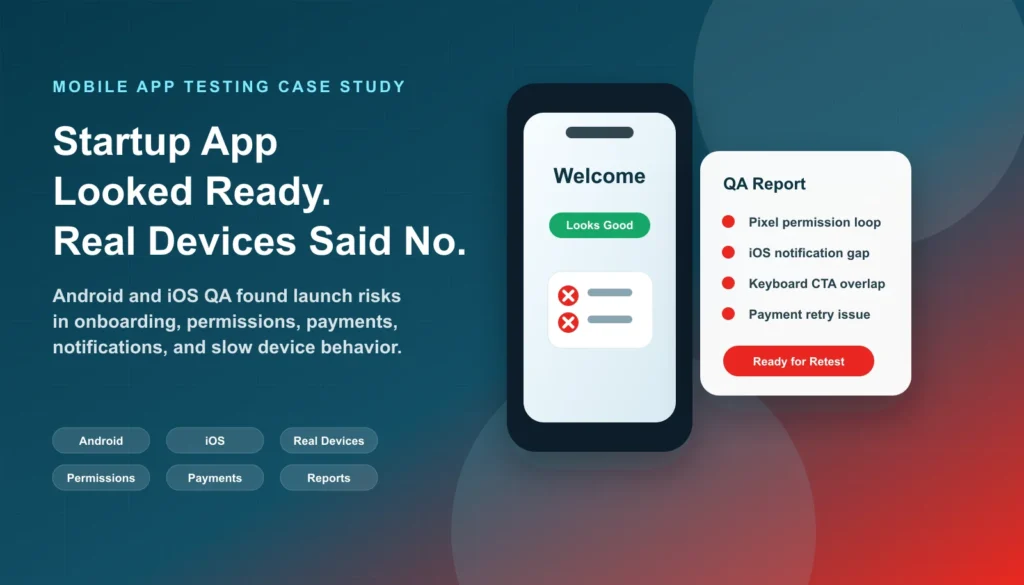
A US-based wellness startup asked Testers HUB for an independent QA pass two weeks before its planned mobile app launch. Signup, the dashboard and subscription payment had passed the team’s internal checks on a small number of newer phones. Before investing in paid acquisition and submitting the release, the founder wanted to know what would happen on other real devices and when users did not follow the happy path.
Our mobile app testing services team focused on Android and iOS onboarding, permissions, notifications, payments, app-state changes and daily progress journeys. The first cycle found four release-relevant risks. The development team fixed them, and QA retested the updated build before submission.
Project at a glance
- Product: anonymized subscription-based wellness mobile app
- Client: US startup preparing for App Store and Google Play release
- Timing: external QA requested two weeks before the planned launch
- Platforms: Android and iOS on selected real phones, plus an Android tablet check
- Approach: manual functional and exploratory testing, compatibility checks, journey-based testing, compact regression coverage and fix verification
- Evidence: build, device and OS details, reproduction steps, screenshots or video, severity, user impact and retest status
The client problem: an app that looked ready on familiar devices
The app supported account creation, goal selection, habit tracking, push notifications, subscription payment and daily progress. Internal testers generally used newer phones, accepted permission prompts and completed the expected path. Those checks established that the main flow could work, but they did not represent a new user who denied permission, paused during onboarding, switched networks, backgrounded the app or retried a payment.
The startup did not need to recruit a permanent team for this release window. It needed external testers who could start with the launch-critical journeys, use additional devices, document actionable findings and verify fixes. This is the type of focused engagement covered by our Hire Mobile App Testers service.
Testing setup and coverage
Real Android coverage
The agreed Android coverage included selected Samsung, Google Pixel, OnePlus and Xiaomi phones, plus a tablet check. Testing considered different screen sizes and mid-range device behavior. The team checked permission handling, the software keyboard, screen layout, notifications, background and foreground state, network changes and core journeys.
Real iOS coverage
On selected real iPhones, the team reviewed onboarding layouts, Apple notification permission behavior, subscription flows, backgrounding and return-to-app state. The client-facing defect record captured the device, OS version and tested build for reproducibility.
Evidence note: the retained case-study record names the device families and confirms that device, OS and build details were included in reports, but it does not preserve a complete publishable model-by-model OS matrix. We therefore do not invent exact version numbers here. An active engagement receives an agreed current device/OS matrix based on target users and available hardware.
Manual and exploratory journey testing
Testers combined repeatable functional checks with exploratory variations. One journey, for example, covered signup, denial of notification permission, returning to the app, changing goals, retrying payment, switching networks and reopening after backgrounding. This tested connected states rather than isolated screens.
Regression and retesting
A compact regression checklist protected signup, onboarding, selected goals, reminders, subscription confirmation and dashboard state. After fixes arrived, testers reproduced the original conditions, verified the corrected behavior and checked connected launch-critical paths. Retesting status was reported separately from the original defect.
Four meaningful launch risks found
1. Denying notification permission broke onboarding data
On a Google Pixel device, a new user could deny notification permission and continue, but the selected wellness goal was not saved correctly. The dashboard then opened with incomplete setup data and the daily reminder logic did not work as intended.
This was a functional state problem, not simply a permission-message issue. It had been missed because internal testers usually accepted the prompt. QA reported the exact permission path, device and resulting account state so the team could reproduce it.
2. The Android keyboard covered the primary onboarding CTA
On a mid-range Samsung phone, the software keyboard covered the primary action on one onboarding step. A user could scroll, but the required movement was not obvious and the flow appeared blocked.
The finding was prioritized by user impact: it occurred before activation and could cause a new user to abandon the flow. Screenshots and device context helped distinguish it from a general design preference.
3. iPhone notification setup could be skipped into an incomplete state
The iOS permission mechanism worked, but the setup copy led testers to treat the step as optional. Users could skip it while the app later expected notification preferences to exist. The risk was inconsistent activation and reminder behavior rather than a crash.
QA recommended clearer wording, a safe fallback state and a route for users to configure notifications later. This is a useful example of exploratory review finding a product-state gap that a simple pass/fail check may not expose.
4. Payment retry produced inconsistent confirmation behavior
When testers interrupted or retried the subscription path, confirmation behavior was not consistent with the clean first-attempt flow. That could leave a user uncertain whether the subscription had completed and weaken trust at a revenue-critical moment.
The team documented the retry sequence and resulting state, then included payment confirmation in the regression checklist. After the development update, QA retested the corrected path on the relevant platforms.
What the startup received
- A finding summary organized by severity and user impact
- The tested build, device and OS context for each reproducible issue
- Step-by-step reproduction notes with screenshots or video for important findings
- Retest status after fixes
- A concise release-readiness summary separating fixed issues from remaining risk
This format helped the founder decide what required correction before submission and what could be planned later. It also gave developers enough context to reproduce issues that had not appeared on their own devices.
Outcome: launch-critical paths were corrected and verified
The development team corrected the permission flow, Android CTA overlap, notification setup state and payment confirmation behavior. Testers then verified the updated build and reran the compact regression coverage around connected flows.
The result was a clearer release decision: onboarding worked more reliably across the selected Android and iOS coverage, denial paths no longer left the same incomplete setup state, and subscription retry behavior was clearer. This case study does not claim a universal defect-free launch or an unsupported revenue improvement; it documents the risks found and the fixes retested during the pre-launch window.
Why external mobile QA reduced this launch risk
The value was not simply a larger device count. External testers approached the app without the internal team’s habits, declined permissions, interrupted journeys and tested on phones the founders did not use every day. That combination revealed product-state and usability problems along with device-specific layout behavior.
For a startup, a focused release sprint can provide this independent coverage without making a permanent hire. Scope and effort still depend on the number of platforms, target devices, workflow complexity, test cycles and deadline. Teams comparing budgets can review the Mobile App Testing Cost Breakdown before requesting an exact estimate.
Planning a mobile app launch or major release?
Share your app, platforms and testing scope, and Testers HUB will recommend the QA coverage and effort required. Include your build stage, target users or priority devices, critical workflows, known risks and release date so we can shape a practical real-device test plan.
Request a pre-launch mobile QA scope and estimate
Frequently asked questions
What kinds of issues can real-device pre-launch testing uncover?
It can reveal device-specific layout problems, permission and notification state issues, interrupted payment behavior, backgrounding problems, performance risks and user-flow gaps that may not appear on a developer’s usual phone.
Can we hire mobile testers for one release?
Yes. The scope can cover one launch window, one platform, a focused regression cycle or retesting after fixes. The team and device matrix should match the release risk rather than a generic checklist.
Does retesting include regression testing?
They are related but different. Retesting verifies the reported fix under the original conditions. Regression checks connected or critical functionality that the change may have affected. The scope should state which activities are included.
Need QA testing support for a similar release?
Tell us about your app, website, game, platform coverage, and launch timeline. Testers HUB will recommend a practical QA scope and quote.