Updated October 6, 2026.
A seasonal event can break a mobile game without a new app-store build. A changed reward rule, remote configuration or offer schedule can affect players already online, older supported clients and accounts moving between devices. LiveOps regression testing checks those changed rules and the connected player journeys before activation.
This guide gives studios 20 checks to adapt to their event, plus a device matrix and a release gate. For help executing the agreed scope, explore our mobile game testing services. The worked example below uses illustrative test data; it is not a client case study or a claim of measured results.
Why event changes need their own regression plan
AppMagic’s 2026 Mobile Market Landscape report compares December 2025 with December 2024 and reports an increase in average monthly LiveOps events per title from 73 to 85 in its analysis, approximately 16%. That is historical market data, not a prediction for every game. More overlapping changes create more combinations worth checking: event rules, player eligibility, purchases, progression and supported clients. Source: AppMagic report, page 26.
Start with the approved event rules, configuration version, build IDs, supported clients, test accounts and activation window. Select checks by risk; not every event needs the same device count or a complete game-wide regression. Use staging, sandbox payments and test ad placements. Production testing, load tests or real purchases need separate explicit approval and safeguards.
20 QA checks before a mobile game event goes live
1. Event activation and expiry
Check immediately before, at and after the server-defined start and end times. Include a player who stays logged in across each boundary. Entry, scoring and reward claims should follow the agreed rules, including any claim grace period. Record event ID, timestamps and the visible state.
2. Time zones and device clocks
Compare supported regions and deliberately incorrect device clocks in an approved test environment. Countdown labels should match the intended timezone, while authoritative eligibility follows the documented time source. Check daylight-saving boundaries where applicable; changing the phone clock must not unlock an event unexpectedly.
3. Remote configuration and fallback
Test fresh installation, cached configuration, failed fetch and activation during a session. Confirm which version is actually active, not only what the dashboard shows. Reverting configuration should restore the intended rules without leaving an incompatible cached state. Capture configuration and client versions together.
4. Reward eligibility
Use accounts just below, at and above each threshold. Include expired eligibility and already-claimed rewards. The server and UI should agree on who qualifies and why. Keep the starting account state and rule version with the result so another tester can reproduce it.
5. Duplicate reward claims
Repeat a claim after a delayed response, rapid taps or reconnect. Where one reward is permitted, the authoritative balance and claim history should show one grant. A disabled button alone is not sufficient evidence. Compare the recorded transaction with the balance after relaunch.
6. Battle-pass and progression synchronization
Earn progress, cross a tier and reload the game. Check free and paid tracks where supported, including a purchase after progress has already been earned. Progress, unlocked tiers and claim status should reconcile against the approved rules without missing or repeated grants.
7. Leaderboard reset and finalization
Check score submission around event close, ties, reset and the reward-claim window. Confirm how late or queued scores are handled. Players should see the correct event’s ranking and reward eligibility rather than a mixture of old and new leaderboard data.
8. In-app purchases and promotional offers
In platform test environments, validate the eligible offer, product identifier, displayed price and resulting entitlement. Cover cancellation, pending purchases and retry after interruption. A successful purchase should grant only the intended entitlement; an unresolved purchase should not be shown as conclusively failed or successful.
9. Rewarded advertisements
Use test ads to check completion, early close, interruption, no-fill and delayed callbacks. Verify reward eligibility against the integration’s documented completion rules. Record the callback sequence and account balance; resuming the game or receiving a duplicate callback should not create an extra reward.
10. Player segmentation
Check accounts included and excluded by region, level, cohort or other approved targeting rules. Refresh configuration and switch accounts on a shared device. An offer hidden in the UI should not remain claimable by an ineligible account through another supported entry path.
11. New and returning player rules
Test first-time, recently active and returning accounts against the studio’s inactivity and tutorial rules. Reinstallation must not accidentally classify an existing account as new. Validate welcome rewards, event entry requirements and progression prerequisites using known account histories.
12. Offline-to-online recovery
Disconnect during event progress or a claim, then reconnect. Check which actions may be queued and which must be rejected. The recovered state should reconcile with the authoritative record rather than overwrite newer progress, lose permitted actions or replay a reward.
13. Poor networks and repeated requests
Apply controlled latency, connection loss and retries in a safe environment. Check loading states, timeouts and responses arriving out of order. Users need a recoverable state, while score submissions, claims and purchases must follow their duplicate-handling rules. Record the network condition used.
14. Notifications and deep links
Open event links with the app closed, running, signed out and on an older supported client. Repeat after the event expires. Links should respect authentication and eligibility, and reach an appropriate fallback instead of a blank screen or an unavailable offer.
15. Economy changes and limits
Validate configured costs, reward amounts, caps and rounding against the approved design. Check insufficient balances and boundary values. QA verifies implementation and reports inconsistencies; passing these checks does not establish that an economy is balanced, fair or commercially effective.
16. Cross-device account synchronization
If the game supports it, earn progress or claim on one device and continue on another. Check simultaneous sessions according to the account policy. Progress, currency and claim history should converge without stale data replacing the newer state. Include supported iOS-to-Android journeys where applicable.
17. Supported client-version compatibility
Run the event on the current and previous supported clients, using the actual support policy. Check changed configuration fields, assets and entry rules. Unsupported clients should receive the intended update or exclusion message rather than a crash or misleading event screen.
18. Memory, heat and longer sessions
Exercise the event on representative lower-memory hardware, including repeated entry, background/resume and longer play sessions. Observe crashes, rendering issues and performance deterioration under safe conditions. Use agreed measurement thresholds; do not assume all devices should achieve identical frame rates.
19. Overlapping events
Activate combinations that share currencies, counters, offers or navigation. Confirm whether one action should contribute to one event or several. Check competing notifications and rewards at simultaneous boundaries. Record both event versions so a shared-state defect can be isolated.
20. Incident rollback and player-state recovery
Rehearse an approved incident scenario before release: disable the event, revert configuration and verify the client response. Separately check how existing purchases, scores and rewards will be reconciled. Reverting a rule does not automatically reverse player data; the recovery owner and permitted actions must be explicit.
Need coverage for an upcoming event?
Share your build, event rules, target devices, supported client versions and activation date. We can recommend a practical test scope and reporting plan.
Worked example: a duplicate reward after reconnect
Illustrative scenario—not a Testers HUB client finding. The following numbers are sample test data, not performance results.
- LiveOps change: a daily event adds a one-time 50-coin completion reward.
- Test setup: the account starts with 100 coins. Delay the claim response, reconnect and retry the same claim.
- Expected state: one recorded grant and a balance of 150 coins.
- Hypothetical defect: the retry creates a second grant, leaving 200 coins.
- Player impact: unintended currency can distort progression and create unequal rewards.
- Proposed regression check: repeat the same claim after timeout, relaunch and a second-device login where supported. Verify one authoritative grant, a 150-coin balance and consistent claim history.
A useful defect report would contain the event/configuration version, build, device/OS, starting account state, precise steps, expected and actual balances, timestamps and approved screenshots or logs. It would not claim a fix until the corrected build or configuration had been retested.
Choose a device matrix that matches the release
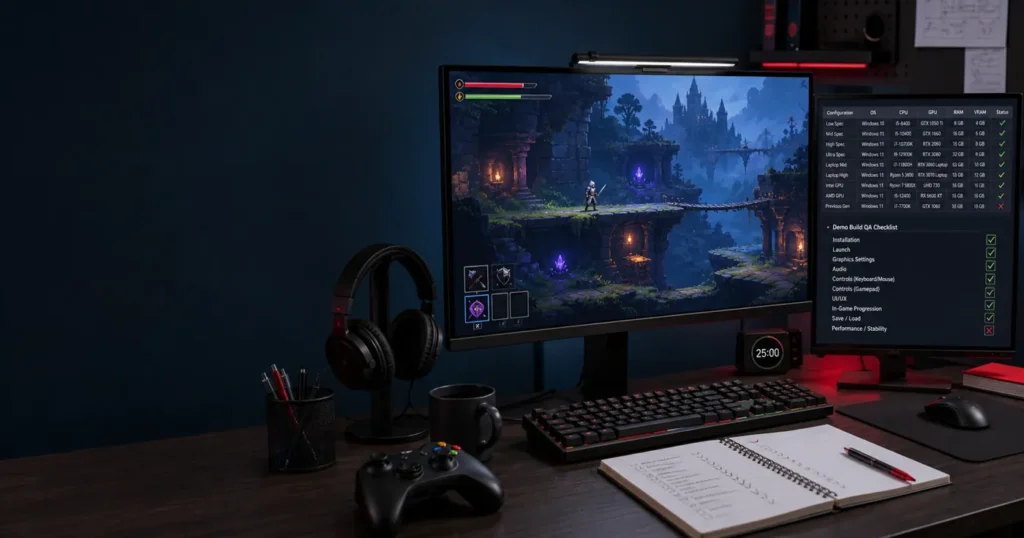
This is a planning matrix, not a promise that every package covers every combination. Select a risk-based subset using audience data, supported versions, available devices and the time budget.
| Dimension | Scoped selection | Why it matters |
|---|---|---|
| Operating system | Supported iOS/Android versions, including relevant older versions | Lifecycle, integration and compatibility differences |
| Hardware | Flagship, mid-range and lower-memory devices used by the audience | Rendering, memory pressure and session stability |
| GPU/chipset | Representative families where rendering risk justifies them | Effects, shaders and graphics behavior |
| Network | Wi-Fi, cellular and controlled degraded/reconnect conditions | Retries, recovery and synchronization |
| Account state | New, returning and high-progress; paid/free where relevant | Eligibility, segmentation and rewards |
| Client version | Current and previous supported versions | Configuration and asset compatibility |
Separate broad smoke coverage from deeper event checks on selected devices. For shared account, login and notification journeys, our mobile app testing services explain the wider mobile QA scope. Additional devices, retesting and regression cycles should be agreed in the estimate rather than assumed to be unlimited.
Keep multiplayer checks in the plan
For multiplayer titles, event testing also needs session-level checks. Validate lobby entry and invitations, region/skill matchmaking rules, reconnect during a match, and supported mixed-client sessions. Confirm that participants see consistent event state and that the authoritative match result grants the correct reward once.
Only include cross-play if the game supports it. Match the intended rules and supported hardware instead of promising identical graphics or frame rates. Concurrency, server-load and specialist security testing require their own agreed scope. Our broader game testing services cover planning across game types and release stages.
A compact event release gate
- Approved event rules, build IDs and configuration versions are recorded.
- Critical eligibility, reward, purchase and progression checks have a result.
- The agreed device/account/client matrix shows passed, failed, blocked and not-run checks.
- Open defects include reproduction evidence and player impact; accepted risks have an owner.
- Fix verification and the required connected regression are scheduled and scoped.
- Activation, monitoring and rollback owners know the recovery procedure.
The studio owns the go/no-go decision. QA provides evidence about the tested scope and remaining risk—not a guarantee that a release has no defects.
Frequently asked questions
What is mobile game testing?
Mobile game testing checks gameplay, user journeys, compatibility, stability and integrations on supported mobile devices. For LiveOps, it also checks event configuration, eligibility, rewards and changed progression rules.
What should be tested before a LiveOps event?
Prioritize activation, eligibility, rewards, purchases, progression, reconnect behavior and supported-client compatibility. Add device, multiplayer and overlap checks according to the event’s changes and player risk.
How do you test remote configuration in a mobile game?
Verify fetch, activation, caching, fallback and rollback with known configuration versions. Check fresh and existing sessions, failed downloads and supported older clients, then compare visible behavior with the approved rules.
How do you test in-app purchases during an event?
Use platform sandbox or test environments to check offer eligibility, product mapping, price display, cancellation, pending states, retries and entitlement delivery. Compare transaction state with the game account; do not use real purchases without approval.
What devices should a mobile game be tested on?
Select real devices from the supported audience, including relevant iOS/Android versions and flagship, mid-range and lower-memory hardware. Agree the matrix before testing; a fixed device count cannot represent every player configuration.
How do you regression-test a live mobile game?
Map the changed rules to connected player journeys, run repeatable checks with known account states, and add exploratory coverage for new risks. Report evidence and untested areas, then retest fixes and maintain the relevant checks for later events.
Plan support around your event calendar
For recurring releases, QA On Demand can be discussed around expected workload and agreed availability. For a defined release, review game testing packages and request a scope-specific estimate. Retesting and regression for fixed-scope work are planned and charged separately where not included in the agreed scope.
Share your game build, event calendar, priority player journeys and target devices. We’ll recommend the coverage and QA effort for your next event.