
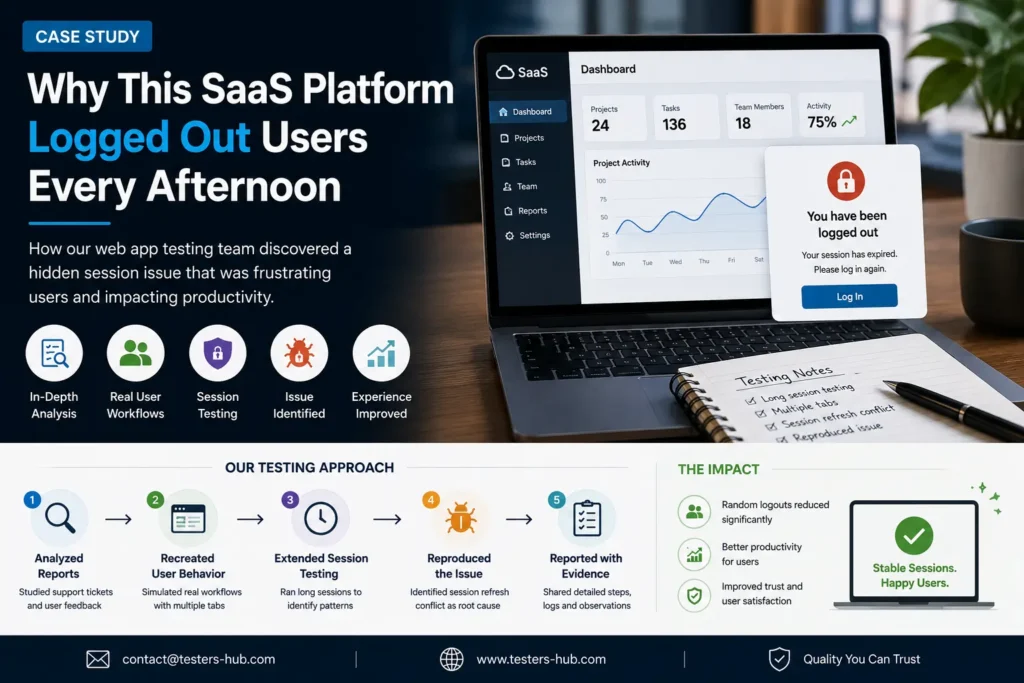
A US-based SaaS company contacted Testers HUB after users started reporting a frustrating issue that the internal team could not reproduce consistently. The product was a project management platform used by marketing teams and remote employees throughout the workday.
The application did not crash. It did not show a security warning. Also, there was no obvious data loss. However, users kept getting logged out while they were actively working, mostly during the afternoon.
At first, the problem looked minor because affected users could log back in. As the support tickets increased, though, the issue started hurting productivity, trust, and the overall user experience.
This case study shows how our web app testing services team investigated the issue, reproduced the hidden session bug, and gave the development team clear evidence to fix it.
The challenge: users were logged out without warning
The complaints followed a similar pattern. A user would log in during the morning, continue working normally, switch between browser tabs, return later, and suddenly find themselves logged out.
There was no warning message. There was no clear error. In addition, the issue did not affect every user, which made it difficult for the development team to isolate.
- Some users worked all day without seeing the problem.
- Others were logged out almost every afternoon.
- Most reports happened after several hours of active work.
- The issue was more common for users with multiple tabs open.
The SaaS team had already reviewed the authentication system, server logs, session management rules, and recent deployments. Everything looked normal. Yet the support tickets kept coming in.
Why the bug was difficult to reproduce internally
Internal testing initially focused on the obvious areas: login, authentication, session timeout, and security policies. Those checks passed. In short test sessions, the application behaved correctly.
However, real users were not testing one login flow for a few minutes. They were keeping the product open for hours, moving between projects, switching browser tabs, taking breaks, returning after lunch, and continuing work in the same session.
That difference mattered. Therefore, our QA team moved from basic login validation to real-world workflow testing.
Our web app testing approach
Instead of repeating only the login test cases, we recreated how customers actually used the SaaS platform during a normal business day.
Our QA coverage included:
- Long-running browser sessions
- Multiple tabs open at the same time
- Project switching and dashboard refreshes
- Idle and active tab behavior
- Chrome and Firefox comparison checks
- Session refresh behavior after several hours of use
Because the issue appeared after extended usage, we also ran endurance-style manual testing. This helped us observe how the platform behaved when sessions stayed active for longer periods.
The root cause: competing session refresh requests
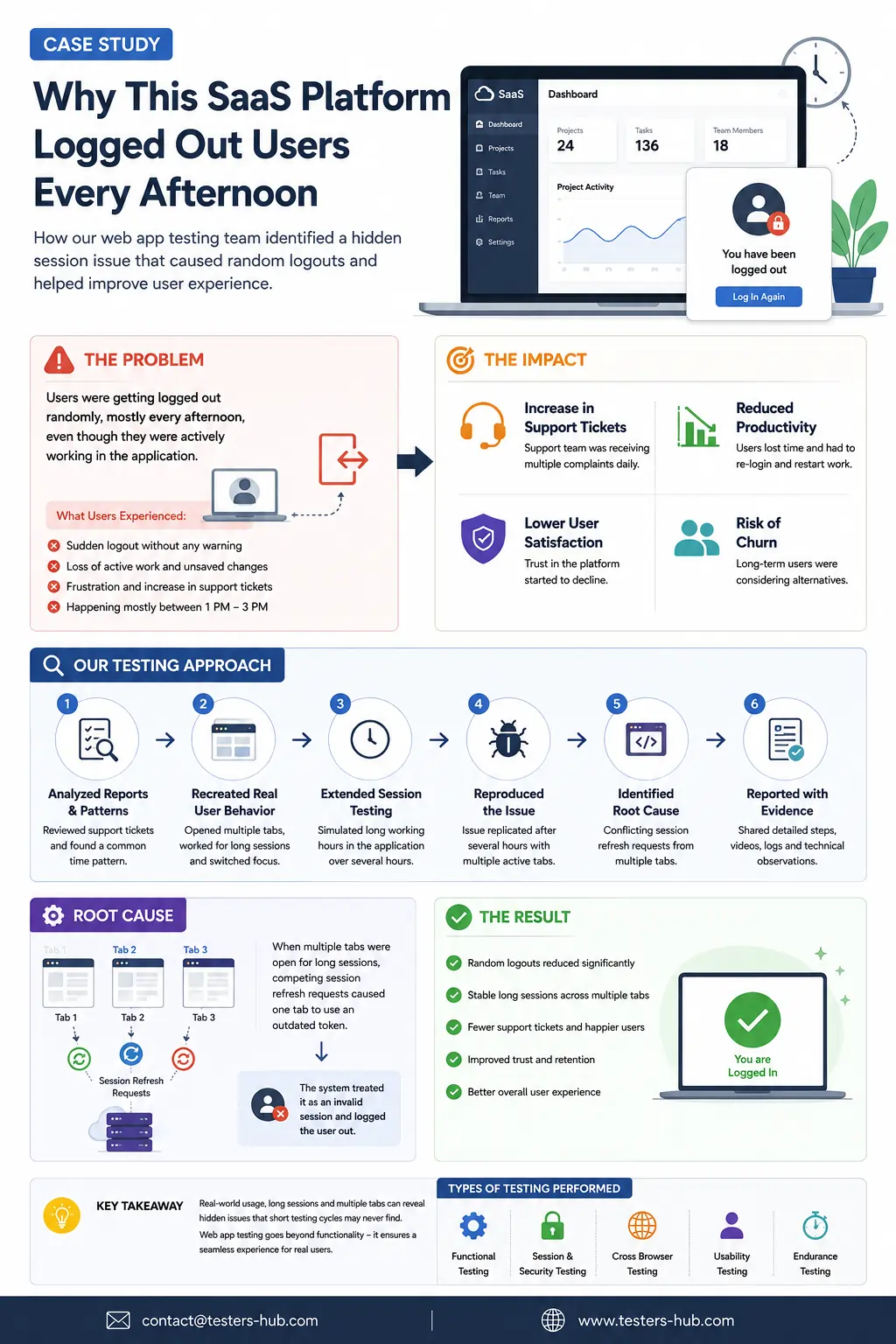
Eventually, one tester reproduced the issue. The problem was not a simple authentication failure. Instead, it was a session refresh conflict caused by multiple browser tabs.
The SaaS platform included an automatic session refresh mechanism designed to keep users securely authenticated. Under normal conditions, that refresh process worked as expected.
However, when users kept multiple tabs open for several hours, competing refresh requests started interfering with each other.
- One browser tab refreshed the session successfully.
- Another tab tried to use an older session token.
- The application treated that older token as invalid.
- As a result, the user was logged out without warning.
The reason it seemed to happen every afternoon was simple. By that time, many users had been working in the platform for several hours. The bug was not time-based. It was session-duration based.
Additional issues found during SaaS testing
While testing the platform, our QA team also found related issues that could affect user trust and support load.
Session timeout warning did not appear
Some users received no warning before being logged out. As a result, the experience felt sudden and confusing.
Browser-specific behavior appeared in Chrome
The issue occurred more frequently in Chrome than Firefox. That helped the development team narrow the investigation further.
Dashboard refresh delays appeared in long sessions
Long-running sessions occasionally displayed stale dashboard data before refreshing. Although this was separate from the logout issue, it affected confidence in the platform.
Activity tracking became inconsistent after idle periods
Certain user activity events stopped syncing after extended idle periods. This was important because the platform relied on accurate project activity tracking.
Evidence delivered to the development team
Our final QA report included practical evidence the development team could act on immediately.
- Clear reproduction steps
- Browser conditions
- Session duration requirements
- Affected user workflows
- Technical observations around competing refresh requests
- Retesting notes after the fix
Instead of chasing scattered support tickets, the team finally had a repeatable scenario and a clear explanation of why the issue happened.
The result after the fix
After updating the session handling logic, the SaaS company released a new version of the platform. Within weeks, the impact was visible.
- Random logout complaints dropped significantly.
- Support tickets related to session issues decreased.
- Long-running sessions became more stable.
- Users could continue work without unexpected interruptions.
- The product team had more confidence in future releases.
Most importantly, customers stopped losing active sessions during the middle of their workday.
Why SaaS and web app testing matters
Many SaaS bugs do not appear during short internal testing cycles. They appear after hours of usage, multiple browser tabs, role-based workflows, background refreshes, and real-world user behavior.
That is why structured website testing services and web application QA can uncover issues that internal teams may miss. Real users do not behave like short test scripts. Therefore, QA needs to include realistic workflow coverage.
For teams planning a release, Testers HUB can support QA on-demand, dedicated testing, SaaS regression checks, browser compatibility testing, and session workflow testing. You can also review software testing cost and QA pricing if you are planning scope and budget.
Need help testing a SaaS or web application?
If your SaaS platform is receiving strange user complaints that nobody can reproduce internally, external QA testing can help uncover the root cause. Testers HUB provides web app testing, SaaS testing, browser compatibility testing, website QA, and hire website testers support for product teams.
Contact Testers HUB to discuss your product, user workflows, browser coverage, and release timeline.
Frequently Asked Questions
Why were users getting logged out every afternoon?
A session management issue caused conflicts between multiple browser tabs after long work sessions. The issue seemed afternoon-specific because many users had already been active for several hours by then.
How was the issue discovered?
Our QA team reproduced the problem through real-world web application testing. We simulated long sessions, multiple tabs, browser focus changes, and actual user workflows.
Can SaaS testing identify session-related bugs?
Yes. SaaS testing can uncover workflow, session, authentication, browser compatibility, dashboard refresh, and usability issues that short internal test cycles often miss.
Do you provide web app testing services for SaaS platforms?
Yes. Testers HUB provides web app testing services, SaaS testing, browser compatibility testing, website testing, and QA support for software companies.