
A founder from the US contacted Testers HUB after launching a new business website that had been created quickly with Claude AI. The website looked modern, the pages were live, and the main content was already in place. At first glance, there was no obvious problem.
However, after a few real users started visiting the site, the client noticed something uncomfortable. People were opening pages, clicking around, and asking questions, but some were not completing the expected actions. A few users mentioned that the form flow felt unclear on mobile. Others said they were not sure whether their message had been submitted.
The client did not want to rebuild the website. Instead, he wanted someone to test it like a real visitor and confirm whether the important flows were working. That is where our website testing services team helped.
The Challenge: A Website That Looked Good but Did Not Behave Consistently
The website had been built fast with AI support. That was useful for speed, but it also created a common problem: the design looked ready before the user experience had been tested properly.
The client had already checked the website on his own laptop. As a result, he assumed the main pages were fine. However, real users were visiting from different phones, browsers, and screen sizes. Their experience was not always the same.
During the first discussion, the client shared three concerns:
- Some users were not completing the contact flow.
- Mobile visitors were getting stuck around the main call-to-action sections.
- The client could not clearly reproduce every issue reported by users.
Because this was already a live website, we kept the testing focused and practical. The goal was not to criticize the AI-built site. The goal was to find the issues that could stop users from trusting the business or sending an inquiry.
Why Manual Website Testing Was Needed
AI tools can help create layouts, copy, and page structure quickly. Still, they do not always understand how a real visitor behaves after landing on the website. A visitor may hesitate, scroll back, switch devices, miss a confirmation message, or click a button in a way the builder never expected.
That is why manual QA was the right fit for this project. Our testers reviewed the site as real users would, not just as people checking whether each page opened.
In addition, we checked whether the website was ready to support business inquiries. For this client, a broken or confusing form was not a small design issue. It could directly affect leads.
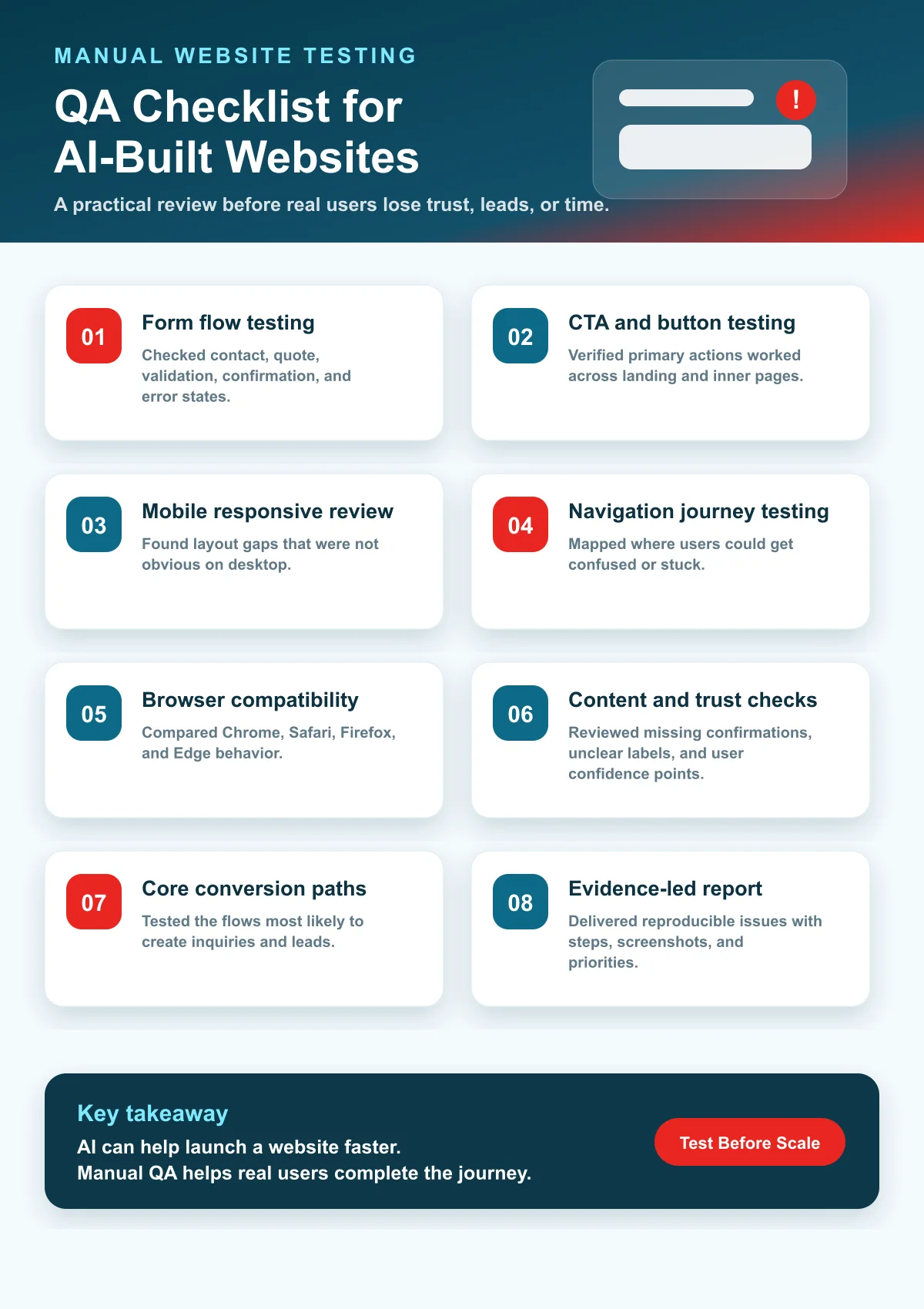
Our Testing Scope
We created a lean manual testing scope around the core actions a real visitor would take. Since the website was already live, we prioritized the paths that mattered most for business inquiries.
Form Flow Testing
We tested the main contact and quote forms with valid inputs, missing fields, incorrect email formats, longer messages, and mobile submissions. This helped us check whether users received clear validation and confirmation.
CTA and Button Testing
Next, we reviewed the primary CTA buttons across the homepage and inner pages. We checked whether buttons were visible, clickable, correctly linked, and consistent across desktop and mobile views.
Mobile Responsive Testing
Because many users were visiting from phones, we tested the website on multiple mobile screen sizes. This included checking section spacing, button visibility, form fields, sticky elements, and readable content.
Navigation Journey Testing
We followed different visitor paths from the homepage to service pages, contact forms, and trust sections. This helped identify places where users could lose context or reach a dead end.
Browser Compatibility Testing
We compared behavior in Chrome, Safari, Firefox, and Edge. Although most pages loaded correctly, some interactive elements behaved differently across browsers.
What We Found During Testing
The issues were not dramatic at first glance. That is exactly why they had been missed. However, each one could reduce trust or stop a lead from reaching the business.
1. The Contact Form Confirmation Was Not Clear
The form submission worked in some cases, but the confirmation message was easy to miss. On mobile, users could submit the form and still wonder whether anything had happened. Therefore, some visitors were likely repeating actions or leaving without confidence.
2. A Main CTA Was Too Close to the Mobile Viewport Edge
On smaller devices, one important button appeared too close to the bottom of the screen. It was technically clickable, but it felt cramped and could be partially affected by browser UI or floating widgets.
3. One Navigation Path Created a Dead End
From one service section, users could read the content but had no clear next step. The page gave information, yet it did not guide visitors toward a quote request, related service, or contact option.
4. Form Validation Messages Were Inconsistent
Some required fields showed clear validation, while others felt vague. As a result, users who made a small mistake did not always know what to fix.
5. Browser Behavior Was Not Fully Consistent
In Safari, spacing around one section looked slightly different from Chrome. This did not break the website completely, but it made the page feel less polished for a portion of users.
How We Reported the Issues
We prepared the QA report in a way the client could act on quickly. Instead of sending a long list of technical notes, we grouped the issues by user impact.
- High priority: issues affecting form submission confidence and core CTA visibility
- Medium priority: navigation gaps and unclear validation messages
- Low priority: visual spacing differences and smaller consistency issues
Each issue included reproduction steps, device/browser details, screenshots, expected behavior, actual behavior, and a practical recommendation. Because the client was not a QA specialist, this made the report easier to use.
The Outcome
After the client reviewed the report, the development updates were straightforward. The form confirmation was made clearer, mobile spacing was adjusted, CTA paths were improved, and validation messages became easier to understand.
More importantly, the client gained confidence that the website was no longer just visually complete. It was tested around the actions real visitors were expected to take.
- Core inquiry flows became clearer.
- Mobile users had a smoother experience.
- CTA paths were easier to follow.
- The client had documented evidence of what needed to be fixed.
- The website felt more ready for paid traffic and business promotion.
What This Case Study Shows
AI can help founders and small teams build websites faster. However, a fast build still needs human QA before the business depends on it for leads, bookings, demos, or sales.
A website can look finished and still have form, mobile, browser, content, and user-flow issues. Therefore, manual testing is especially useful when a website has been created quickly and moved live without a proper QA review.
If your website was built with Claude, ChatGPT, another AI website builder, or a quick no-code process, Testers HUB can help you validate the experience before more users arrive.
Need Manual Testing for an AI-Built Website?
Testers HUB provides manual testing services, website QA services, web app testing services, browser testing, mobile responsive testing, and user-flow validation for live websites and pre-launch products.
If users are reporting issues you cannot reproduce, or if you want confidence before running campaigns, contact Testers HUB for a practical QA review.
Frequently Asked Questions
Why did the AI-built website need manual testing after launch?
The website looked complete, but real users were facing issues with forms, mobile layouts, navigation paths, and confirmation messages. Manual testing helped check whether the core user flows worked in real conditions.
Can AI-built websites have functional and usability issues?
Yes. AI tools can speed up website creation, but they can still miss practical issues in forms, buttons, mobile layouts, browser behavior, content clarity, and complete user journeys.
What did Testers HUB test in this website QA project?
The QA team tested contact and quote forms, CTA buttons, mobile responsive layouts, navigation journeys, browser compatibility, confirmation messages, and the main conversion paths.
Which service is best for testing an AI-built website?
Manual website testing services are a strong fit because a human tester can follow real user journeys, spot usability issues, validate forms, and document problems that automated checks may not fully explain.
Can Testers HUB test websites built with Claude, ChatGPT, or other AI tools?
Yes. Testers HUB can test AI-built websites, web apps, landing pages, SaaS flows, quote forms, checkout paths, and responsive layouts before or after launch.