
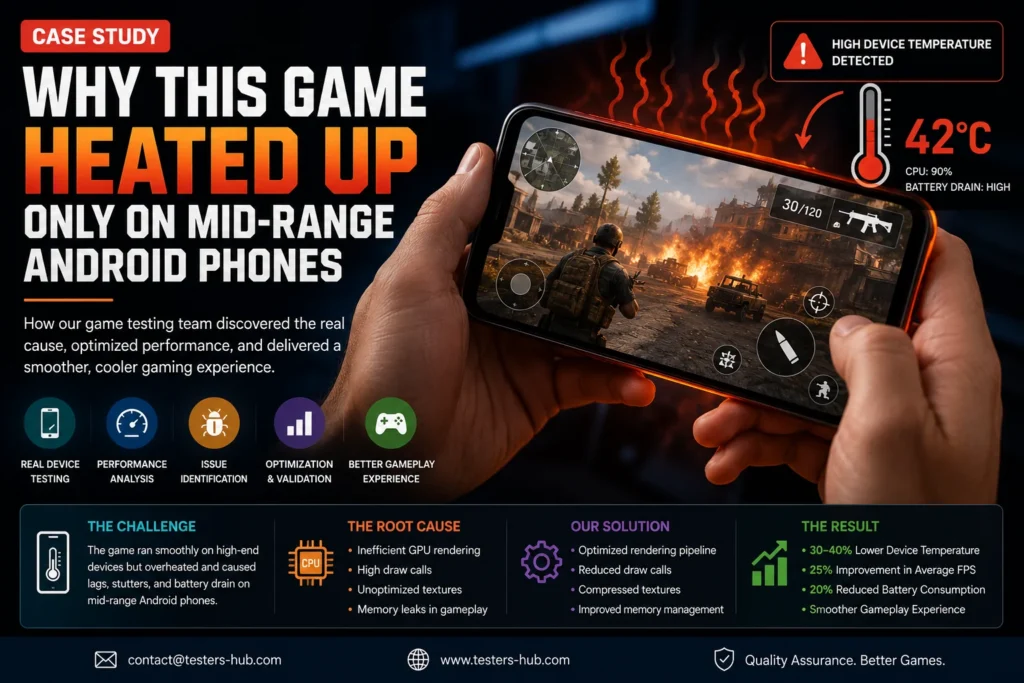
A US-based mobile game studio contacted Testers HUB after a soft launch produced a strange pattern. The game worked well on newer flagship Android phones. It also passed the internal checks the development team had run before release.
However, players using mid-range Android phones were reporting something different. After 10 to 15 minutes of gameplay, the phone became hot, frame drops started appearing, and touch response felt slower during later rounds. A few users also mentioned that the app restarted after watching reward ads.
The studio had crash logs, but the logs did not explain the problem clearly. The game was not failing on every Android device. It was mainly affecting selected Samsung, Xiaomi, and OnePlus phones used by real players.
This case study explains how our mobile game testing services team used real-device Android game testing to reproduce the issue, identify the performance patterns, and help the studio improve launch confidence.
Need real-device game QA before launch?
Share your game build, target devices, engine, ad flow, and release timeline. Our QA team will recommend a focused game testing scope.
The Challenge: Flagship Phones Made the Game Look Stable
The game was a casual action title with animated scenes, reward ads, sound effects, in-app purchases, daily missions, and short repeatable gameplay rounds. During internal testing, the team mostly used newer Android devices. On those phones, the game looked smooth.
The FPS stayed acceptable, loading screens were short, and battery drain did not look unusual. As a result, the development team believed the Android build was close to release-ready.
Yet real players were not all using flagship phones. Many were using mid-range Android devices with different chipsets, RAM limits, thermal behavior, screen refresh rates, and background app conditions. That difference mattered more than the team expected.
What Players Were Reporting
The support feedback was consistent enough to take seriously, but not simple enough to diagnose from logs alone.
- Device heating after repeated gameplay rounds
- Frame drops after 10 to 15 minutes
- Slower touch response during later levels
- Battery drain during longer sessions
- Occasional app restart after reward ads
- Poor experience on selected Samsung, Xiaomi, and OnePlus models
Because the issue was device-specific, short internal testing could not reproduce it consistently. Therefore, the studio needed structured game testing services on real Android devices.
Our Android Game Testing Approach
We started by recreating real player behavior instead of running only short functional test cases. The goal was not just to confirm whether the game launched. Instead, we wanted to understand when performance started degrading and why the issue appeared only on selected Android phones.
Our QA coverage included:
- Long gameplay sessions across mid-range Android devices
- Repeated level retries and fast restarts
- Reward ad playback and return-to-game behavior
- Background and foreground app switching
- Network change behavior during active sessions
- Battery and temperature observation
- FPS symptoms during later rounds
- Comparison between mid-range and flagship Android phones
This helped us separate normal device limitations from actual optimization issues inside the game.
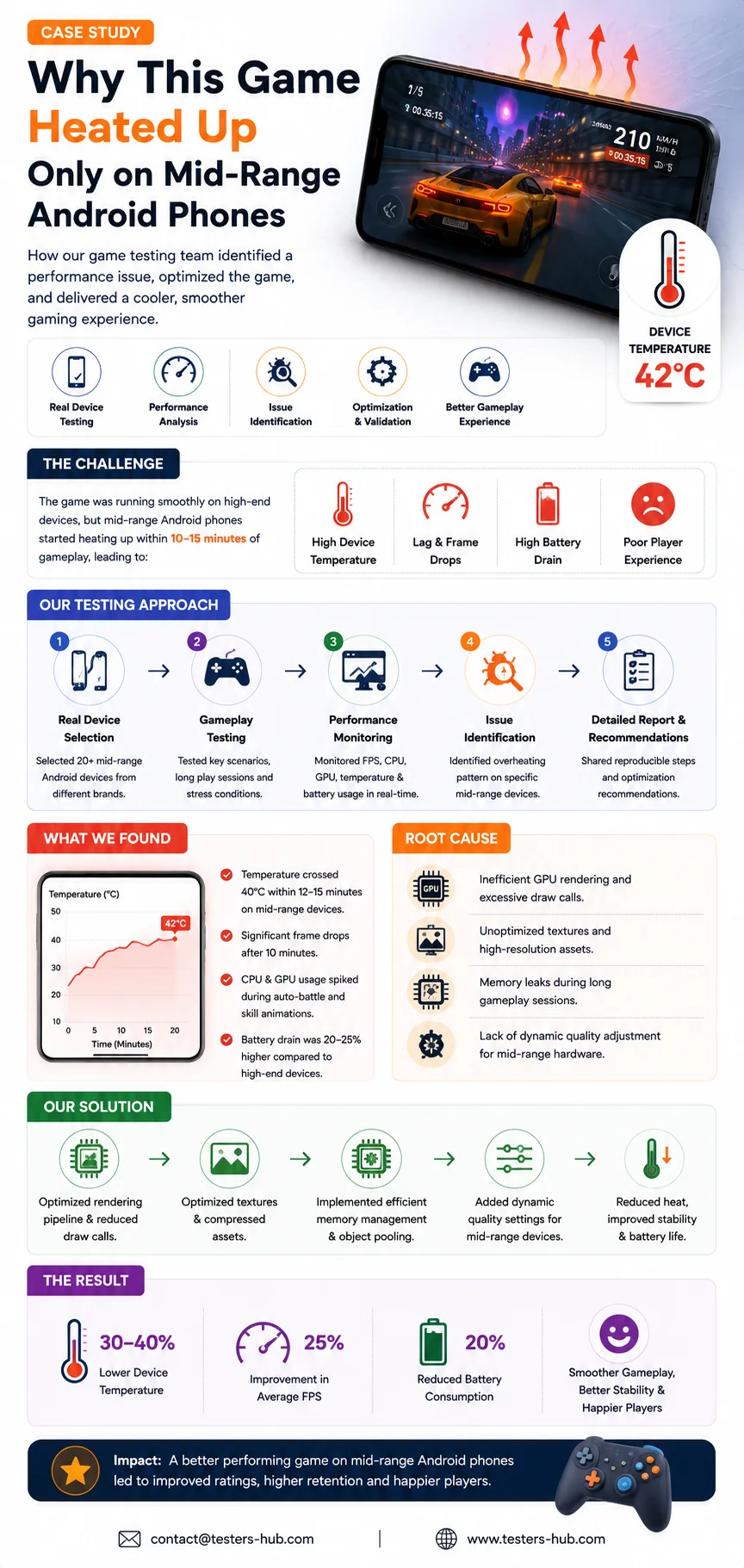
Finding 1: Particle Effects Were Too Heavy for Mid-Range GPUs
The first pattern appeared around visual effects. The game used particle effects during power-ups, reward moments, level completion, and special actions. On high-end Android phones, those effects looked smooth.
However, on mid-range devices, repeated particle effects increased GPU load. The issue became more visible after several rounds of gameplay. As the session continued, the device started heating and the frame rate became less stable.
This did not mean the effects were broken. Rather, they needed better optimization for the actual device profile of the game’s audience.
Finding 2: Reward Ads Increased Heat After Repeated Sessions
Reward ads worked correctly from a functional testing point of view. Players could watch ads and receive rewards. However, after multiple ad views, the game did not always recover performance immediately after returning to gameplay.
On some devices, the return from ads caused temporary lag. In longer sessions, that lag became more noticeable. Since reward ads were part of the monetization flow, this was not a minor issue. If players felt the game became slower after watching ads, ad engagement and retention could both suffer.
Finding 3: Background Audio Was Not Releasing Cleanly
During repeated gameplay rounds, we found that some background audio and effect layers were not always released cleanly between sessions. The issue did not crash the game, but it created extra resource usage over time.
On powerful phones, the impact was small. On mid-range phones, it contributed to heat, battery drain, and slower response after extended play.
Finding 4: Long Sessions Created Memory Pressure
The game performed well during short smoke testing. However, after 15 to 20 minutes of repeated play, memory usage increased and performance symptoms became easier to observe.
This explained why internal testing had missed the issue. The development team had mostly tested short flows, while real players were playing multiple rounds continuously.
Finding 5: The Issue Was Worse on Specific Android Models
The heating and FPS symptoms were most noticeable on selected mid-range Samsung and Xiaomi devices. These phones had stricter thermal behavior compared with newer flagship models.
That is why real device testing services were important. Emulator testing alone would not have shown the same heat, battery, and responsiveness behavior.
Testing a game on Android devices?
We can validate gameplay, ads, monetization, performance symptoms, compatibility, and launch readiness across selected real devices.
Evidence Shared With the Development Team
Our QA report focused on evidence the development team could act on quickly. Instead of simply saying “the game heats,” we showed where the issue appeared, how long it took, which devices were affected, and what actions made it worse.
- Device-wise performance notes
- Session duration when heating started
- Gameplay areas where frame drops appeared
- Reward ad behavior observations
- Videos and screenshots of lag symptoms
- Reproduction steps and severity notes
- Retesting recommendations after optimization
The Fixes Recommended
Based on the testing results, the development team worked on practical optimization areas rather than guessing blindly.
- Reduce particle effect intensity on mid-range Android devices
- Add performance-based visual settings
- Optimize reward ad return flow
- Clean audio resources between gameplay rounds
- Review memory handling after repeated retries
- Run longer-session tests before each release candidate
- Prioritize mid-range Android devices in future regression cycles
The Result After Retesting
After the fixes, we retested the updated build on the same Android devices. The improvement was clear.
- Heating started later and was less noticeable
- Frame drops reduced during repeated gameplay
- Reward ad return behavior became smoother
- Battery drain improved during longer sessions
- Touch response stayed more stable
- The studio gained better confidence before wider release
Most importantly, the team realized that mobile game performance cannot be judged only on high-end devices.
Why This Case Study Matters
Many mobile games pass internal testing because they are tested on clean devices, short sessions, and predictable flows. Real players behave differently. They play longer, retry levels, watch ads, switch apps, use mid-range phones, and continue playing even when performance starts degrading.
That is why structured Android game testing and mobile game QA are important before launch. Real-device testing helps identify issues that emulators, flagship phones, and short internal checks often miss.
If you are planning a launch, compare practical game testing packages or request a custom scope. If you need longer release support, you can also hire game QA testers for gameplay, compatibility, performance, ads, monetization, and regression coverage.
Need Help Testing a Mobile Game?
Testers HUB provides game testing services, mobile game testing services, Android game testing, iOS game testing, gameplay QA, performance testing, compatibility checks, and real-device testing services for game studios and product teams.
If your game works well internally but players are reporting heat, lag, crashes, or poor retention, contact Testers HUB. Our QA team can help identify the root cause before it affects reviews and revenue.
FAQs
Why did the game heat up only on mid-range Android phones?
The issue appeared because mid-range Android phones had stricter thermal limits and lower GPU headroom. Heavy particle effects, reward-ad recovery lag, memory pressure, and long gameplay sessions created symptoms that did not appear on flagship devices.
Can game testing services find overheating issues?
Yes. Game testing services can identify overheating symptoms through real-device testing, long-session gameplay checks, performance observation, and device-specific Android game testing.
Is emulator testing enough for mobile game performance?
No. Emulators are useful for early checks, but real-device testing is needed to validate heat, battery drain, FPS symptoms, touch response, and device-specific gameplay behavior.
What devices should be included in Android game testing?
The device list should include the Android phones your players are likely to use, especially mid-range Samsung, Xiaomi, OnePlus, Google Pixel, and older Android models if they represent your target market.
Do you provide mobile game testing services for Android games?
Yes. Testers HUB provides mobile game testing services, Android game testing, gameplay QA, compatibility testing, performance observation, ads testing, and regression support.