
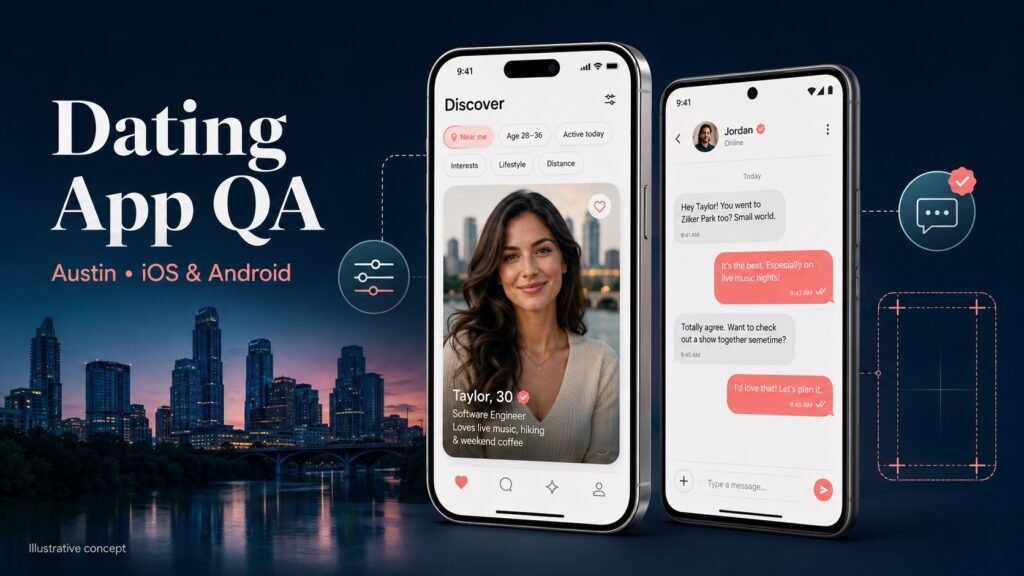
An anonymized dating-app company preparing a new-version launch for the Austin, Texas market asked Testers HUB for independent QA support across iOS and Android. The release depended on three connected experiences: users had to see profiles matching their selected preferences, verified members needed to be able to start conversations, and the interface had to remain usable across different phone sizes.
Our dating app testing services review used 3–4 real devices on each platform, selected from higher-end through lower-end coverage. Testing identified three release-relevant problems: the feed could ignore selected options, chat failed even between verified profiles, and controls extended beyond the visible screen on a Google Pixel 8.
Project overview
- Product: anonymized dating and social discovery app
- Release: a new app version intended for the Austin, US market
- Platforms: native mobile experience available on iOS and Android
- Real-device coverage: 3–4 iOS devices and 3–4 Android devices, spanning higher- to lower-end devices
- Confirmed findings: preference/feed mismatch, verified-profile chat failure and Pixel 8 screen-fit issue
Evidence boundary: client and product names are withheld. This case study reports the scope and defects confirmed for publication. Exact iPhone and Android model lists, OS versions, test dates, severity labels, remediation status and launch metrics were not supplied for this public account, so they are not invented here.
Why the Austin regional launch needed focused QA
A city-specific rollout makes relevance especially important. Users joining a dating app expect discovery settings to shape who appears in the feed. They also expect verification and chat permissions to work consistently, because a match that cannot become a conversation creates immediate friction.
The client therefore needed more than a basic installation check. The QA focus had to connect profile setup, selected discovery options, feed results, verification state, chat eligibility and responsive behavior on real devices. This is where social app testing services and dating-specific product knowledge overlap: feeds, profiles and messaging must be tested as one journey rather than separate screens.
Real-device iOS and Android testing setup
The agreed matrix included 3–4 real iOS devices and 3–4 real Android devices across higher- and lower-end coverage. The purpose was to compare the same release journeys across hardware and screen sizes instead of treating one successful flagship-phone check as proof of compatibility.
On both platforms, the review centered on:
- Profile setup, verification state and selected discovery preferences
- Feed loading and whether displayed profiles matched the saved options
- Chat access between eligible, verified profiles
- Navigation, tappable controls and content fitting within the viewport
- Consistency of the same user journey across iOS and Android
The known device-specific finding was reproduced on a Google Pixel 8. The other device models and OS versions remain part of the private test record rather than the public case study.
Defect 1: the feed did not follow the user’s selected options
Testers saved discovery options and then reviewed the profiles returned in the feed. Some displayed profiles did not align with the selected options.
This was not only a content-order preference. A dating app’s feed is the visible result of onboarding and discovery choices. When the feed contradicts those settings, users may assume their preferences were not saved or that matching is unreliable. The defect report therefore connected the selected options, account state and observed feed output rather than describing the problem only as “wrong profiles shown.”
Relevant retesting should confirm that the saved options persist, the feed refreshes against them and changes to those options update subsequent results. Broader ranking quality cannot be concluded from this single functional defect.
Defect 2: chat failed even for verified profiles
The chat function did not work even when the participating profiles were verified. That blocked the transition from discovery to conversation for users who appeared eligible to message.
For a dating and social app, chat eligibility can depend on several states: verification, match or connection state, blocking, moderation restrictions and account availability. The confirmed public fact is that chat was not working for verified profiles. The case study does not assign an unverified backend root cause.
The finding was significant because it affected a primary engagement journey. Useful fix verification should repeat the interaction with the relevant verified accounts and check message initiation, delivery state and conversation visibility on both platforms.
Defect 3: Google Pixel 8 buttons extended outside the screen
On the Google Pixel 8, some buttons did not fit within the available screen width and extended outside the visible area. This made actions harder to understand or reach and showed why real-device layout testing was required even on a modern phone.
The report identified the affected device and screen-fit behavior so developers could reproduce the issue under the same configuration. Retesting should confirm that labels, padding and action groups remain inside the viewport and that controls are still comfortably tappable after the layout adjustment.
How the defects affected launch risk
- Discovery relevance: inconsistent feed results could reduce trust in preferences and matching.
- User connection: chat failure blocked a core action between verified members.
- Device usability: off-screen controls could prevent or confuse actions on an affected Android layout.
Together, the findings covered product logic, account-state behavior and device compatibility. That combination is why a dating-app release needs both workflow testing and real-device checks.
QA reporting and recommended retest path
For these findings, an actionable defect record should include the app build, device and OS context, account preconditions, saved preferences or verification state, reproduction steps, expected and actual behavior, and screenshots or video where useful.
After fixes are delivered, the focused regression path should reconnect the affected journeys:
- Create or prepare eligible profiles with confirmed verification states.
- Save discovery preferences and validate the resulting feed.
- Open an eligible profile and verify that chat can be started and viewed.
- Repeat the critical flow across the agreed iOS and Android matrix.
- Recheck affected layouts on the Pixel 8 and the remaining screen sizes.
This is the recommended verification path. Because the user did not provide fix or retest outcomes, the case study does not claim the defects have already been resolved.
Dating app testing services for regional releases
Regional dating-app launches can require testing of profiles, discovery rules, feed relevance, location or distance settings, likes and matches, verified-user states, chat, notifications, privacy, block/report flows, subscriptions and moderation. The exact scope should follow the features enabled in that market.
Testers HUB provides dating app testing services and social app testing services for teams that need manual and exploratory QA across real iOS and Android devices. Broader mobile coverage is available through our Mobile App Testing Services, and teams needing flexible release support can hire mobile app testers for a defined build or ongoing test cycles.
Planning a dating or social app release?
Share your target market, iOS and Android builds, device priorities, profile and verification rules, discovery settings, chat workflows and release date. Testers HUB will recommend a practical QA scope for the journeys and devices that matter most.
Request a dating app QA scope and estimate
Frequently asked questions
What should dating app testing services cover?
Coverage can include onboarding, profile creation, verification, preferences, matching, feeds, likes, chat, media, notifications, privacy, moderation, block/report workflows, subscriptions and real-device compatibility.
Can Testers HUB test dating apps on both iOS and Android?
Yes. Coverage can use an agreed matrix of real iPhones and Android devices, with device models and OS versions selected around the target audience and release risk.
Why test a social app on multiple screen sizes?
Layouts, keyboards, text wrapping and action groups can behave differently across screen sizes and platform configurations. In this engagement, buttons extended outside the visible screen on a Google Pixel 8.
Need QA testing support for a similar release?
Tell us about your app, website, game, platform coverage, and launch timeline. Testers HUB will recommend a practical QA scope and quote.