
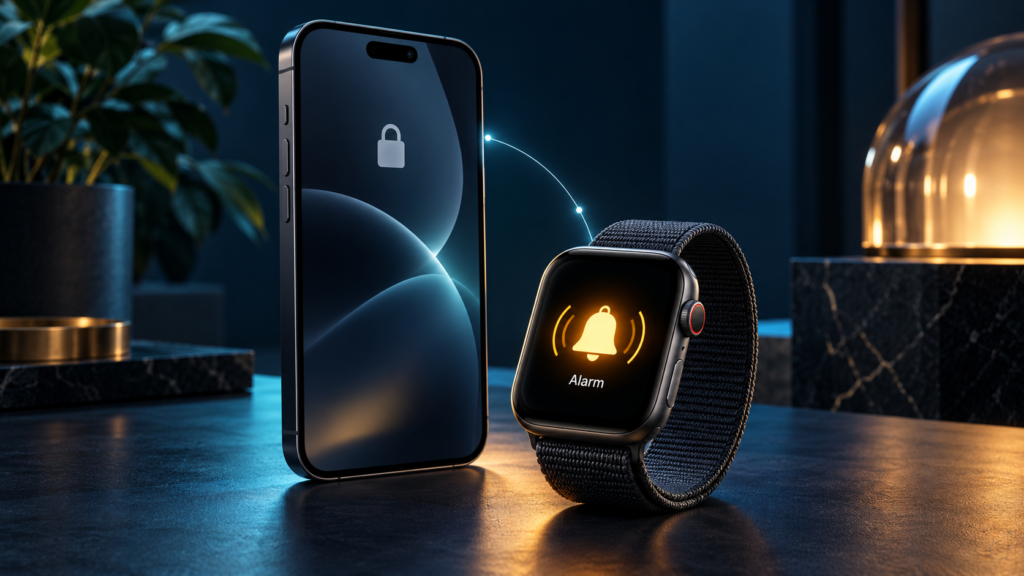
To test time-critical iOS notifications, check the alert mechanism, permissions, scheduled time, app and device state, delivery destination and user response. A successful alert with the app open is only one scenario. An alarm may also need testing after a restart, during another alarm, with the phone locked or with an Apple Watch paired.
This anonymous Testers HUB case study draws on an iPhone alarm application’s QA checklist containing 108 items across nine modules. It includes recorded Pass/Fail results and defect references. A supplementary result confirmed by the QA team covers alarm delivery on Apple Watch Series 8 while the paired iPhone’s screen was locked.
The app and client names are withheld. The findings describe the tested project, not the current condition of a publicly identified product. Teams comparing mobile app testing services can use the examples to define a more precise release-testing scope.
1. Project scope: testing an alarm beyond its scheduled time
The application combined scheduled alarms with repeat settings, snooze, wake-up tasks, nap timers, pre-sleep warnings and paid features. The checklist covered onboarding, the home and alarm list, scheduling, the alarm editor, ringing and reliability, missions and wake check, naps, purchases, and settings.
Its execution columns list five iPhone models: iPhone 17 Pro, iPhone 16 Plus, iPhone 15 Pro Max, iPhone 15 and iPhone 14 Plus. Exact OS and app-build versions are omitted from this public summary pending reconciliation with the execution records. Apple Watch Series 8 coverage was confirmed separately by the QA team.
The 108 items represent documented checks, not 108 defects or every possible device-state combination. The most useful question for this project was whether changing the surrounding conditions changed the alarm’s behavior.
2. Separate alarm permission from notification permission
The checklist distinguishes granting or denying iOS alarm permission from denying notification permission during a pre-sleep warning flow. That separation matters: two alerts in the same application may depend on different mechanisms and user settings.
- Local notifications: scheduled on the device by the app.
- Remote push notifications: sent through a server and Apple’s push-notification infrastructure.
- In-app alerts: presented within the running application.
- AlarmKit alarms: use Apple’s alarm framework and its authorization process where implemented.
The checklist alone does not establish the project’s underlying alarm implementation. For a new engagement, confirm it with the developer before defining expected results. Apple’s AlarmKit documentation explains its separate alarm management and authorization model. Ordinary notifications, Time Sensitive notifications and Critical Alerts should also be distinguished; Critical Alerts require an approved entitlement. See Apple’s notification guidance.
In this project, granting and denying alarm permission were marked Pass. The “Not now” alarm-permission path and the pre-sleep warning flow with notification permission denied were marked Fail. These statuses identify paths requiring investigation; they do not establish the exact underlying fault.
3. What the recorded iPhone results show
The selected results below come from the project checklist. A Pass means the listed check was recorded as passing in that execution; it is not a guarantee across every iPhone, OS or future build. A Fail needs its linked defect record and reproduction evidence for a complete technical diagnosis.
On smaller screens, swipe the table horizontally to see every column.
| Check | Scenario | Recorded status | QA significance |
|---|---|---|---|
| CH-006 / CH-007 | Grant or deny iOS alarm permission | Pass | Permission acceptance and denial are separate paths. |
| CH-013 | Deny notification permission during pre-sleep warning setup | Fail | Review the warning flow’s denied-permission handling. |
| CH-033 | Schedule two alarms for the same minute | Fail | Investigate overlapping schedules. |
| CH-047–CH-049 | Alarm with app open, backgrounded or iPhone locked | Pass | Record these as distinct app/device states. |
| CH-050–CH-052 | Silent mode, Do Not Disturb and another Focus mode | Pass | Results apply to this app’s tested alarm behavior. |
| CH-055 | Start a second alarm while another is ringing | Fail | Test active-alarm overlap as well as schedule overlap. |
| CH-062 | Restart the iPhone with an alarm set | Fail | Investigate persistence across a device restart. |
| CH-064 | Change the iPhone clock near the alarm time | Fail | Review timing behavior when the clock changes. |
These are failed checklist scenarios, not a deduplicated defect count. Multiple checks can refer to the same issue. The report also records passing checks for changing an active alarm, selecting repeat days and changing the phone’s time zone.
4. Apple Watch result: alarm delivery with the iPhone locked
The QA team confirmed a passing alarm-notification scenario on Apple Watch Series 8: when the paired iPhone’s screen was locked, the alarm triggered on the Watch.
- Wearable: Apple Watch Series 8.
- Phone state: paired iPhone with its screen locked.
- Observed result: alarm triggered on the Watch.
- Status: Passed, as confirmed by the project QA team.
This supplementary observation is not a row in the supplied PDF checklist. The confirmation does not specify the Watch’s OS version, sound or haptic details, or results for disconnected and unlocked-phone scenarios.
Apple explains that notifications ordinarily go to either the iPhone or Apple Watch according to device state and settings. An alert appearing on the Watch should therefore be assessed against the intended behavior, rather than automatically classified as a missing phone notification. Apple’s iPhone and Watch notification guidance provides the platform context; the project observation above remains specific to the tested app and configuration.
5. Battery conditions, interruptions and recovery
The checklist records Pass for enabling Low Power Mode before an alarm, enabling Airplane Mode, and checking an alarm with the screen off and battery low. These checks answer different questions: Low Power Mode is a system setting, while a low charge level is a battery condition.
The report does not supply a precise battery percentage, charge-state matrix or measured delivery delay. It therefore supports reporting that the listed checks passed, rather than claiming that alarms always work below a particular battery threshold.
Other recorded passing scenarios include a phone call near alarm time, connecting or disconnecting Bluetooth audio, unplugging wired headphones, force-closing the app and updating it with an alarm set. Restarting the device and changing its clock near an alarm time were recorded as failures. The contrast is useful: successful background behavior does not establish successful restart recovery.
For a new project, define battery-warning rules explicitly: when the app evaluates the condition, which threshold applies, whether charging changes the rule and what happens when warnings are disabled. These are recommended follow-up requirements, not additional results claimed for this engagement.
6. Turning the findings into a release decision
The documented output is a checklist with results for specific user journeys and references to reported defects. It shows why a release review needs both successful alarm paths and failures around permissions, overlapping alarms and changes in system state.
The supplied material does not establish completed fixes, a successful retest cycle or a measured improvement in missed-alarm rates. The case study’s outcome is the identification and recording of test results that the development team can investigate and prioritize.
For each failed path, the next step should record the build, actual device/OS, starting settings, reproduction sequence, expected behavior and observed behavior. Attach a recording where it helps explain timing. After a developer change, repeat the failed scenario on the corrected build, then check related alarm flows for regression. Those are recommended closure steps, not completed work inferred from the checklist.
If releases require recurring coverage, teams can hire mobile app testers with an agreed allocation for execution, reporting and separately defined fix verification.
7. A practical checklist for another notification-dependent app
The project suggests a useful starting sequence for an alarm, reminder or wellness product. Adapt it to the actual implementation and audience rather than copying every expected result.
- Identify the alert mechanism. Separate scheduled alarms, local notifications, remote push and in-app messages.
- Agree permission behavior. Include acceptance, denial, dismissal and changes made later in Settings.
- Vary the surrounding state. Cover foreground, background, locked phone, relevant Focus settings and agreed wearable combinations.
- Change an existing schedule. Test edits, cancellations, repeats, simultaneous alarms and date/time changes.
- Test interruptions and recovery. Include audio-route changes, calls, restarts and updates where supported.
- Record separate results. Keep observed passes, failures, untested combinations and completed retests distinguishable.
For push notification testing, add server delivery, connectivity and payload-handling scenarios to the agreed scope. This case study does not establish testing of an APNs backend. Our iPhone app testing services provide a relevant starting point for discussing the platform coverage your release needs.
8. Questions about this iOS notification testing case study
Was Apple Watch alarm delivery tested?
Yes. The QA team confirmed that an alarm triggered on Apple Watch Series 8 while the paired iPhone’s screen was locked. That scenario passed. Other Watch configurations are not established by this confirmation.
Did low-battery testing pass?
The checklist marks the screen-off, low-battery alarm check and the Low Power Mode check as Pass. It does not document exact battery percentages or an exhaustive charging-state matrix.
Which reliability scenarios were marked as failures?
Selected failures included two alarms set for the same minute, a second alarm starting during an active alarm, a device restart with an alarm scheduled and a clock change near alarm time. These are recorded scenario results, not confirmed root causes.
Were all reported issues fixed?
The supplied checklist does not establish completed fixes or retest outcomes. This case study reports testing coverage and recorded findings.
Evidence note: this anonymous project summary uses a 108-item QA checklist supplied by Testers HUB and a supplementary project-team confirmation of the Apple Watch Series 8 result. The source checklist and private defect links are not reproduced. Recorded statuses describe the reviewed execution, not a guarantee about subsequent releases. Prepared 27 October 2026.
Need QA testing support for a similar release?
Tell us about your app, website, game, platform coverage, and launch timeline. Testers HUB will recommend a practical QA scope and quote.