
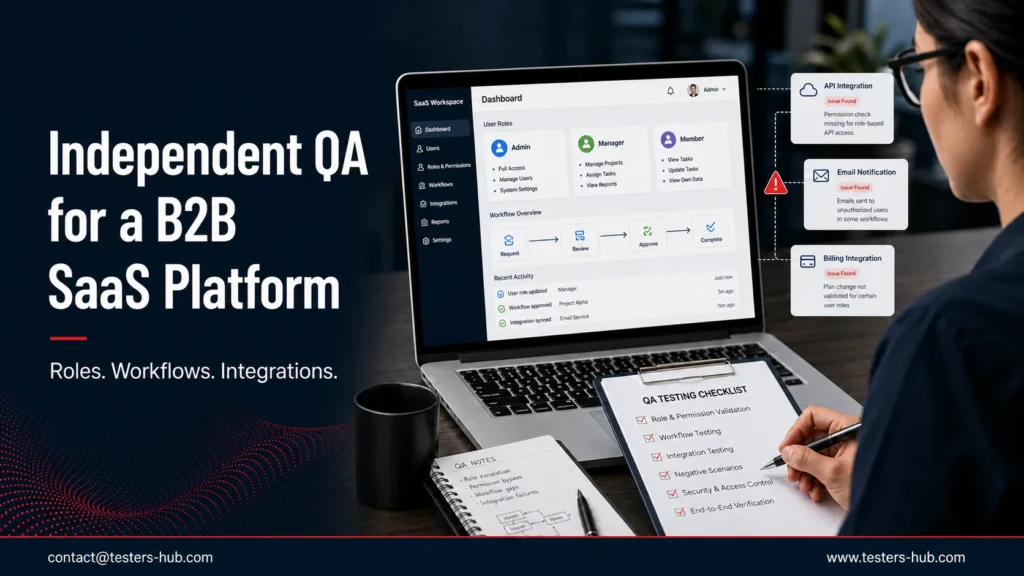
A B2B SaaS product team asked Testers HUB to independently review a business platform before an important release. The application connected administrators, managers, standard members, and restricted users through account setup, approvals, reporting, data exports, notifications, and third-party services.
Individual features worked during routine checks. However, the release risk lived between those features. A role change had to affect an existing session. A workflow decision had to update the correct user and record. An integration failure had to produce a useful status instead of silently leaving the process incomplete.
This anonymous case study explains how our B2B SaaS testing services team reviewed role boundaries, end-to-end workflows, and connected services; documented defects with evidence; and supported retesting before the release decision.
Confidentiality note: The client name, product name, project totals, testing duration, and private integration details are intentionally withheld. The findings below describe representative defect patterns and the QA method without exposing client data or inventing unapproved metrics.
Need independent QA for a B2B SaaS release?
Share your roles, plans, critical workflows, integrations, browsers, and release timeline. We will recommend a focused SaaS QA scope built around the risks that matter to your users.
Client and Product Background
The confidential client operates a multi-user B2B SaaS platform. Different people perform different parts of the same business process, so the product depends on accurate permissions and reliable state changes. Administrators configure accounts and access. Managers review work and reporting. Members complete daily tasks. Restricted users can see or update only approved areas.
The application also exchanges information with external services. Those connections support business operations, but they create more states to test: a request can succeed, fail, time out, arrive twice, or complete after the user has already moved to another step.
Why the Product Team Requested Independent QA
The internal team had strong knowledge of the platform. That knowledge helped it build features quickly, but it also made expected paths feel natural. Testers who know the intended design may sign in with the correct role, follow the expected sequence, and use integrations under ideal conditions.
Independent QA introduced fresh account states, interrupted workflows, negative paths, stale sessions, cross-role actions, and integration failures. The aim was not to repeat every existing check. Instead, we concentrated on combinations that could expose data, block work, produce an incorrect decision, or confuse users during a release-critical journey.
User Roles and Critical Workflows
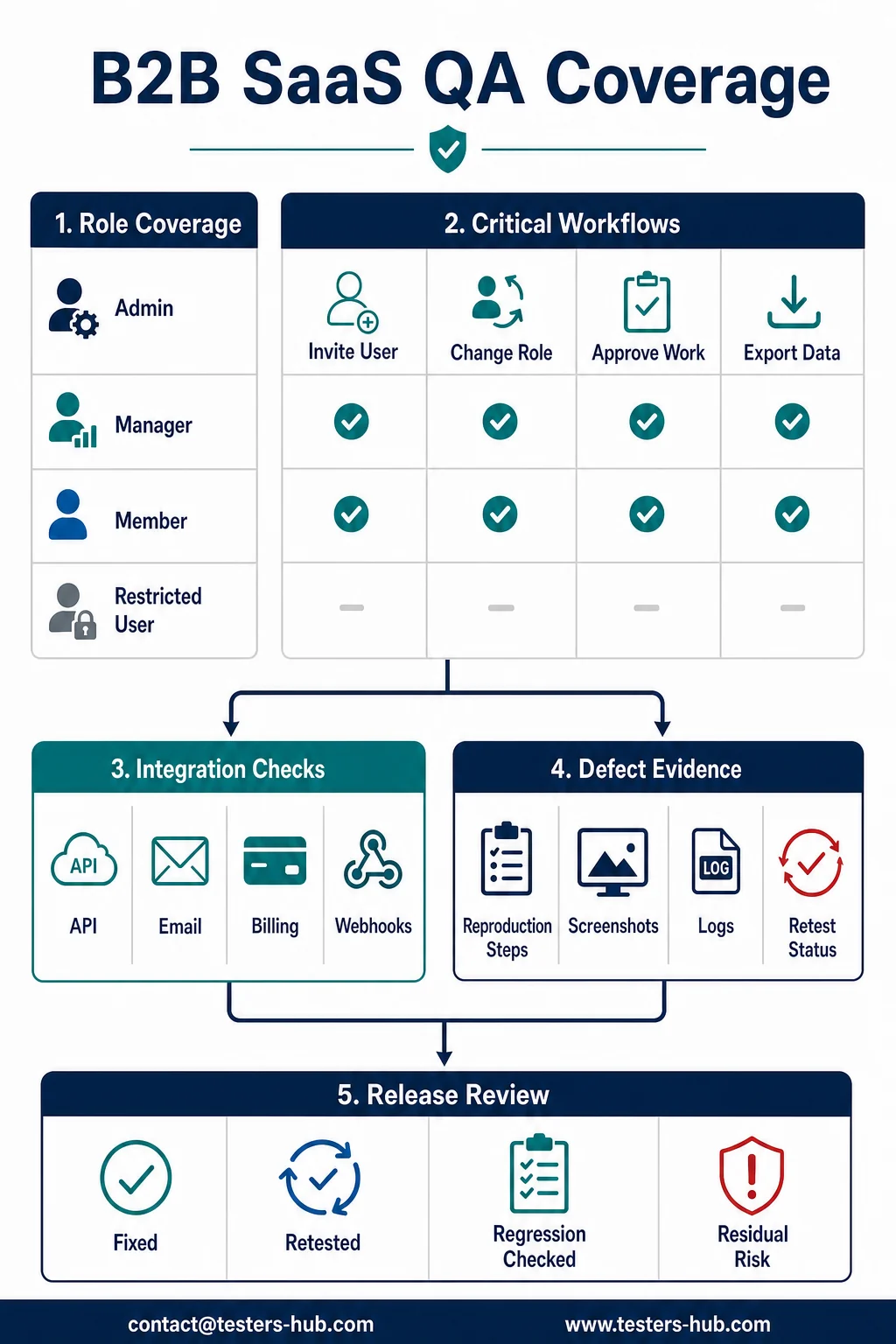
We first mapped what each role should be able to view, create, update, approve, export, and administer. Next, we connected those permissions to the workflows that moved information between users and systems.
| Coverage area | Admin | Manager | Member | Restricted user |
|---|---|---|---|---|
| Account and team setup | Create and configure | View assigned team | Personal profile only | Approved profile fields |
| Role changes | Assign and remove | No administrative control | No administrative control | No administrative control |
| Core workflow | Configure and oversee | Review and approve | Create and update assigned work | Limited assigned action |
| Reports and exports | Full permitted scope | Team or workspace scope | Own permitted data | Restricted or unavailable |
| Integrations | Configure connections | Use approved connections | Trigger permitted actions | Only explicitly allowed actions |
The matrix was adapted to the actual product rules. It gave both QA and development a shared reference for expected behavior before defect execution began.
Testing Scope and Environment
The agreed scope combined manual QA testing, browser-based workflow checks, API and integration observations, negative testing, defect retesting, and focused regression. We used controlled accounts for each role and maintained known starting states so that permission and workflow changes could be compared reliably.
Browser and device selection followed the product’s agreed user coverage. We did not add a large device count for appearance. Each environment had a reason: a supported browser, an important customer workflow, or a known release risk.
Most Important Defect Categories Found
The value of the review came from testing boundaries rather than isolated controls. The following categories represent the most important types of risk uncovered during the engagement.
Role and Permission Changes Did Not Always Affect Existing Sessions
In one workflow, a user retained an action after an administrator reduced that user’s permissions. A fresh sign-in showed the correct restricted state, but an already-open session continued to expose the previous action until its permission state refreshed.
This mattered because a role change should take effect according to the product’s access-control rules, not only after the affected user signs in again. The report documented the starting role, changed permission, active session, affected action, expected restriction, and actual behavior.
Workflow State Changed Without Updating Every Participant
A multi-step process could appear complete to one role while another role still saw the previous state. The underlying action had succeeded, but related views and notifications did not update consistently. Users could therefore repeat work, wait for an action that was already finished, or make a decision from stale information.
We reproduced the issue by following the workflow with separate role accounts rather than switching one account through every step. That approach better reflected how the B2B product was used in practice.
Integration Failures Did Not Always Produce a Recoverable Result
Successful integration paths behaved correctly. The more important findings appeared when a connected request was delayed, rejected, repeated, or only partly completed. In those conditions, the application could show an unclear status or leave the user unsure whether it was safe to retry.
We checked authentication, permissions, request data, duplicate events, timeout behavior, retry handling, user messaging, logs, and the final state after the connected service recovered.
Exports and Reports Needed Role-Specific Validation
A report page may display permitted records while an export uses a broader query. For that reason, we compared on-screen access with downloaded results for the same role, plan, workspace, and workflow state. This helped ensure that a restricted user could not receive data outside the approved scope through an alternate output.
Validation and Error Messages Lost Context
Several negative paths blocked an action correctly but did not tell the user what to correct or whether any part of the process had been saved. Clear validation is especially important in business software, where users may be completing a long form or coordinating with another role.
Testing roles, billing, APIs, or frequent SaaS releases?
Our SaaS QA team can build a risk-based matrix for permissions, plans, tenants, integrations, browsers, and regression without turning every release into a full retest.
Defect Evidence Shared With the Development Team
Each report was written so the product team could reproduce the issue without a separate explanation call. Evidence included the role, plan or account state where relevant, environment, preconditions, workflow history, exact actions, expected and actual results, screenshots or recordings, timestamps, and retest status.
For integration issues, we also recorded the visible product state and relevant request or log observations available within the agreed access. Sensitive credentials and client data were never included in the report.
Retesting and Regression Process
After fixes became available, we did more than repeat the exact failing step. Permission changes were checked across affected roles and existing sessions. Workflow fixes were validated from the perspective of every participating user. Integration fixes were tested under both successful and failure conditions.
We then ran focused regression around connected journeys. This helped confirm that a correction in one state did not block a valid role, duplicate an action, change reporting, or break an adjacent integration.
Release Outcome
The engagement gave the product team a clearer release picture: which role, workflow, and integration risks had been reproduced; which fixes had passed retesting; which neighboring journeys had been checked; and which residual risks still required monitoring or a later cycle.
Because exact project totals and commercial outcomes are confidential, this article does not publish defect counts, severity totals, testing duration, integration counts, or a client quotation. The practical outcome was evidence-led release support rather than a generic pass or fail statement.
Why Independent B2B SaaS QA Matters
B2B SaaS quality is rarely decided by one page. It is decided by how roles, plans, tenants, workflows, APIs, notifications, reports, and external services behave together. A feature can pass alone and still fail when an account changes state or another user continues the process.
Independent QA helps teams challenge those transitions before customers do. For product teams planning frequent releases, Testers HUB can support one-time release testing, ongoing SaaS regression, web app testing services, or dedicated QA capacity. You can also review software testing cost and engagement options while planning scope.
Build a safer SaaS release plan
Tell us how users, roles, plans, workflows, and integrations fit together. We will identify the highest-risk journeys and recommend practical independent QA coverage.
FAQs
What should independent QA cover in a B2B SaaS platform?
Independent B2B SaaS QA should cover role permissions, plan entitlements, tenant boundaries, critical workflows, integrations, notifications, imports and exports, session behavior, failure recovery, and regression around release-critical journeys.
Why do role and permission defects remain hidden in SaaS products?
They often require a specific combination of account state, plan, role, cached session, workflow history, and feature access. A simple sign-in check may pass even when a permission change does not take effect during an existing session.
How should integrations be tested in a SaaS application?
Integration testing should validate successful requests, authentication, permissions, duplicate events, delays, retries, timeouts, invalid payloads, partial failures, user messaging, logs, and recovery after the external service becomes available again.
Can Testers HUB provide SaaS regression testing for frequent releases?
Yes. Testers HUB can maintain a risk-based regression scope across roles, plans, workflows, browsers, APIs, and integrations, then retest fixes and provide evidence for each release cycle.
Why are exact project metrics not shown in this case study?
The client and project are confidential. Testers HUB has described the QA method and representative defect patterns without publishing identifying information, private product details, or unapproved project counts.